Why This Guide Exists
If you've been trying to keep up with AI tools over the past year, you're probably confused. And honestly? You should be. The landscape is moving faster than anyone can track, new tools launch weekly, and every one of them promises to change everything.
You've heard of ChatGPT. You might use Gemini. Someone on your team is raving about something called "Cowork." There's talk of "agents" and "MCP connectors" and "skills." And you're sitting there thinking: I just want to know which tool to open when I need to get something done.
This guide is for you. Not for developers. Not for AI researchers. For people who do real work every day, sales, operations, marketing, management, finance, and want to use AI effectively without drowning in jargon.
We'll start with the basics (what does AI actually do under the hood?), move through the major tools and how they differ, and end with a practical framework for knowing when to use what. Along the way, I'll explain the buzzwords in plain language so you can navigate this yourself, even when the tools change, which they will.
How AI Actually Works (The 60-Second Version)
Let's start with the thing everyone uses but few people actually understand: large language models, or LLMs. These power ChatGPT, Gemini, Claude, and essentially every AI tool you interact with today.
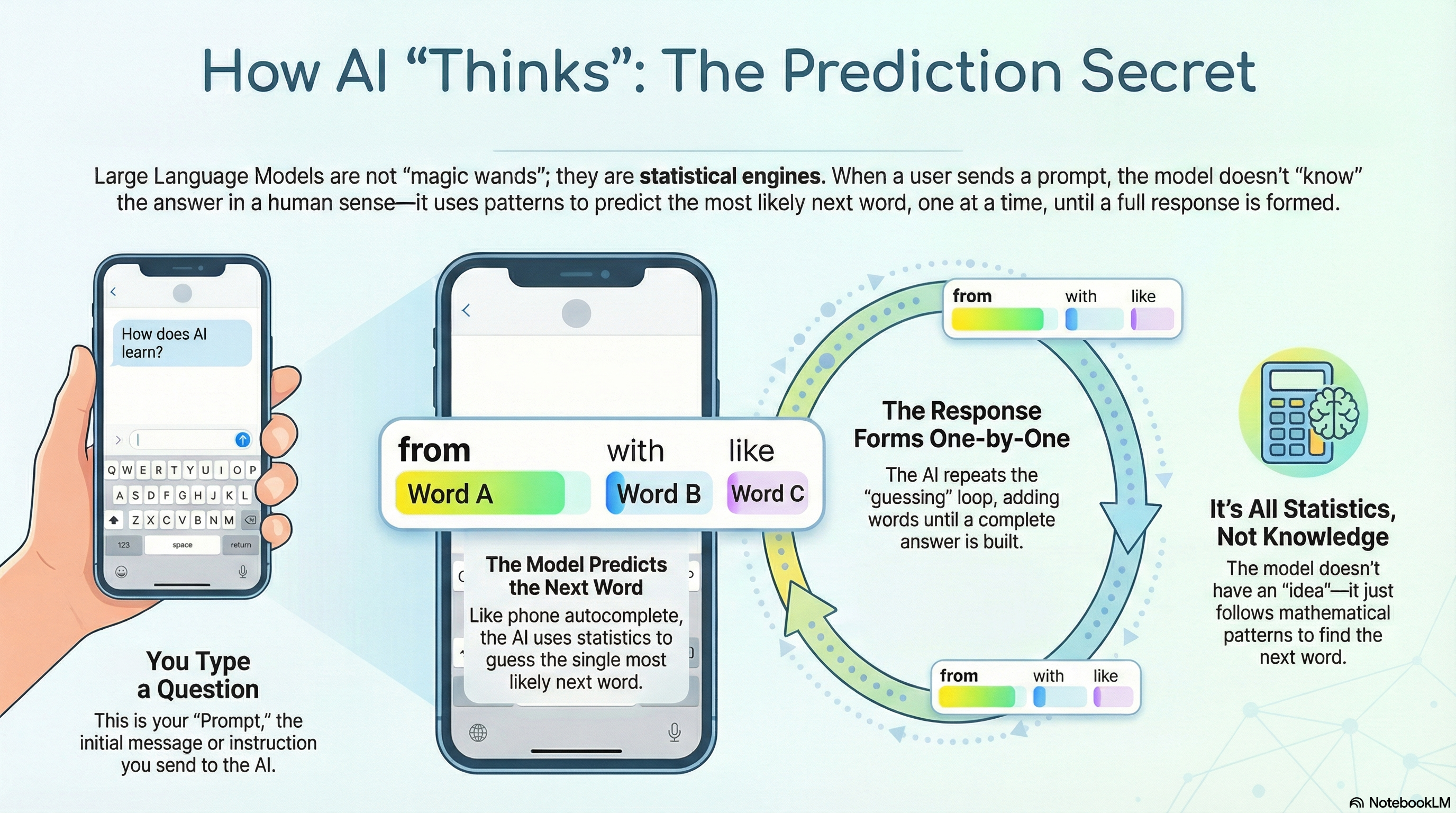
Here's the secret: an LLM is basically an incredibly sophisticated autocomplete. You know how your phone suggests the next word when you're typing a message? An LLM does the same thing, but trained on an enormous amount of text, so its predictions are remarkably good.
When you send a message (called a prompt), the AI doesn't "understand" your question the way a human does. It predicts, one word at a time, what the most likely response should be. The first word, then the next, then the next, until it has a complete answer. It's doing statistics at an incredible scale.
This is both the magic and the limitation. Because it's predicting rather than "knowing," it can sometimes be confidently wrong. But when given good input and the right context, the predictions are so good that the distinction barely matters for most practical work.
A prompt is simply the message you send to an AI tool. It could be a question ("What are the top competitors in the Danish car market?"), an instruction ("Write a follow-up email to this client"), or a conversation ("Here's my situation, what would you suggest?"). The quality of the prompt directly affects the quality of the response. More context, more specific instructions, and clearer goals all lead to better output.
AI models don't process words, they process tokens, which are fragments of text. A token might be a word, part of a word, or even just a punctuation mark. When people talk about a model's "context window" (how much it can consider at once), they're talking about tokens. For practical purposes, think of 1 token as roughly ¾ of a word. A 200,000-token context window can hold roughly a 300-page book.
Now, an important concept: thinking models. You may have seen options like "Deep Research" in Gemini or "Extended Thinking" in Claude. These aren't fundamentally different AI, they use the same underlying model. The trick is that the AI re-prompts itself internally, breaking a complex question into smaller steps, checking its own reasoning, and refining its answer before showing it to you. Think of it as the AI taking a moment to think before speaking, rather than blurting out the first thing that comes to mind.
This iterative approach, doing things in steps rather than all at once, turns out to be the key idea behind everything that follows in this guide.
The Big Three: OpenAI, Google, and Anthropic
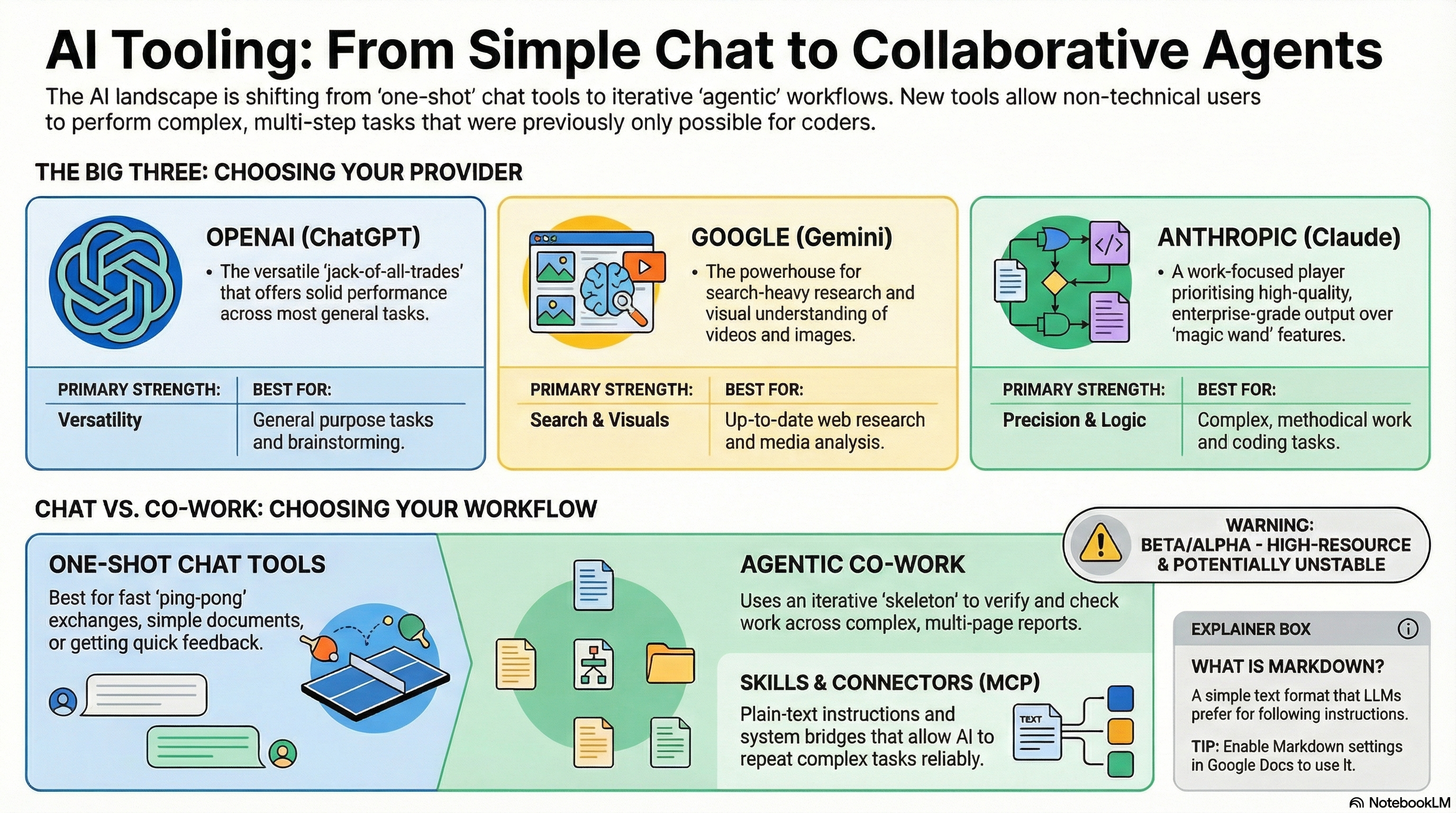
The AI landscape has consolidated around three major providers. Others exist, but these are the ones that matter for everyday work:
| Provider | Tool | Personality | Where it shines |
|---|---|---|---|
| OpenAIchat.openai.com | ChatGPT | The Swiss Army knife. First mover, solid at everything, and the best live voice conversation of any AI. | General-purpose tasks. Live voice conversations. Large plugin ecosystem. The best "thinking partner" when you talk to it. |
| Googlegemini.google.com | Gemini | The researcher with a search engine brain. Built by the company that indexes the internet. | Up-to-date web research. Image and video understanding. Deep integration with Google Workspace (but no MCP support yet). |
| Anthropicclaude.ai | Claude | The focused work partner. Quieter brand, deeper on quality and reliability for real work. | Complex analysis and writing. Code and technical work. Enterprise workflows via Cowork. |
A few things worth knowing about this race:
They all use capable models. Each provider has a large language model that powers their tools, and they're all remarkably good. The lead changes from month to month, one will have the "smartest" model for a few weeks, then another overtakes it. For most practical purposes, the differences at the model level are small enough that they shouldn't drive your choice of tool.
The differences are in the edges. Google Gemini benefits enormously from having Google Search built in. If you need current, real-time information, who just won an election, what a company's latest quarterly results are, what a competitor launched yesterday, Gemini has a structural advantage because it can search the internet's best index. Google has also invested heavily in visual understanding, making Gemini strong with images and video.
Anthropic has focused on being the reliable work partner, less flashy, more focused on getting complex tasks right. This is where Claude Code (for developers) and Claude Cowork (for everyone) came from. OpenAI, meanwhile, is the generalist: a strong product that does most things well, backed by the largest user base and the broadest ecosystem of third-party integrations.
ChatGPT's killer feature: live voice. One area where ChatGPT is clearly ahead is live voice conversations. You can have a real, flowing, spoken conversation with it, and it's remarkably natural. This might sound like a novelty, but it's genuinely powerful in practice. Put in your headphones on your commute, start a live conversation, and tell it: "I'm going to be capturing thoughts. Just help me think through them." Then talk. About the meeting you're walking into. The report you need to write. The strategy you're chewing on. The loose ideas you haven't shaped yet. ChatGPT listens, asks good follow-up questions, and the entire conversation is captured as a written transcript. When you get to your desk, you take that transcript and paste it into Cowork or any other tool to build the actual deliverable, the presentation, the document, the plan. It turns your commute into productive thinking time, and it turns scattered spoken thoughts into structured source material. I use this workflow constantly.
Chat Tools: What They Do Well (And Where They Stop)
When most people say "AI," they mean chat. You type a message. AI responds. You refine. It responds again. This back-and-forth is the core interaction model of ChatGPT, Gemini, and Claude.
Chat tools are excellent for:
- Quick research, "Who are the top five competitors in X market?"
- Writing help, "Draft a follow-up email to this client."
- Brainstorming, "What are some angles for our Q2 campaign?"
- Explaining things, "What does ROI mean in this context?"
- Summarising, "Summarise this 20-page report in five bullet points."
- Sparring, "Here's my plan, what am I missing?"
For all of these, the expected output is relatively simple: a conversation, a short document, a list, a suggestion. You might go back and forth a few times to refine it, but the AI is essentially doing one thing at a time, responding to your latest message.
This is what we call one-shot interaction. You prompt, it responds. Maybe you ping-pong a few times. The output is the conversation itself, or a fairly simple deliverable.
Chat tools have gotten remarkably good at this. They're mature, fast, and reliable. For 80% of what most people need AI for, a chat tool is the right answer.
But there are tasks where chat tools hit a wall.
Why Code Changed Everything (And Why It Matters to You)
To understand why tools like Cowork exist, you need to understand something about code. Don't worry, you don't need to write any. But this insight is the key to understanding the entire AI tools landscape.
When AI writes a text document, an email, a report, a summary, it doesn't have to be perfect. If a word choice is slightly off or a comma is in the wrong place, a human can still read and understand it. The output is forgiving.
Code is the opposite. If a single character is wrong, one misplaced dot, one missing bracket, one typo, nothing works. It doesn't matter if the other 10,000 characters are perfect. One small error and the whole thing breaks.
This is the fundamental problem AI providers had to solve. The same language model that writes you a lovely email also writes code, but code demands a level of precision that a "predict the next word" system can't guarantee in a single pass.
The solution? Agents.
Instead of generating thousands of lines of code in one go and hoping it works, AI providers built systems where the AI works in small steps. It writes a piece, checks it, fixes what's wrong, moves to the next piece, tests again. It can run the code, see if there's an error, and correct it, all on its own, without you having to intervene.
This iterative, self-correcting approach is what an "agent" fundamentally is: an AI that doesn't just respond once, but takes actions in a loop, doing, checking, adjusting, continuing, until the job is done.
In AI, an agent is more than a chatbot. It's an AI that can take actions: run code, read files, call external services, check its own output, and work through problems step by step. A chat tool waits for you to type and responds. An agent takes initiative, it can plan a sequence of tasks, execute them, handle errors along the way, and deliver a finished result. Think of it as the difference between asking someone a question and giving someone a project.
Anthropic's Claude Code was the product that cracked this for software development. It combined a powerful language model with this agent-like, iterative approach, and the result was transformative. For the first time, developers could trust AI to produce reliable code, not because the model was perfect, but because the system was designed to catch and correct its own mistakes.
But here's where the story gets interesting for you, even if you've never written a line of code in your life.
From Code to Cowork: How a Developer Tool Became Everyone's Power Tool
Something unexpected happened after Claude Code launched. People with technical backgrounds, developers, analysts, engineers, started using it for tasks that had nothing to do with software development.
They realised that a lot of professional work looks a lot like coding from the AI's perspective: it's complex, multi-step, requires precision, and benefits enormously from the agent's ability to work iteratively. Think about what goes into a serious market analysis:
- Analysing thousands of rows in a spreadsheet
- Creating charts and visualisations
- Writing a structured report with conclusions
- Cross-referencing against business data
- Producing a polished slide deck for the town hall
This isn't a quick chat prompt. This is a project. And an agent, one that can work through each step methodically, check its own output, and build up to a finished deliverable, is exactly the right tool for it.
Anthropic noticed this pattern and built Claude Cowork: a product that gives everyone the power of an agent-based workflow, without needing to know code. Under the hood, it uses the same agent technology as Claude Code, but wrapped in a friendly interface with built-in safety guardrails. It runs in a secure environment on your computer, can read and write files, and works through complex tasks step by step.
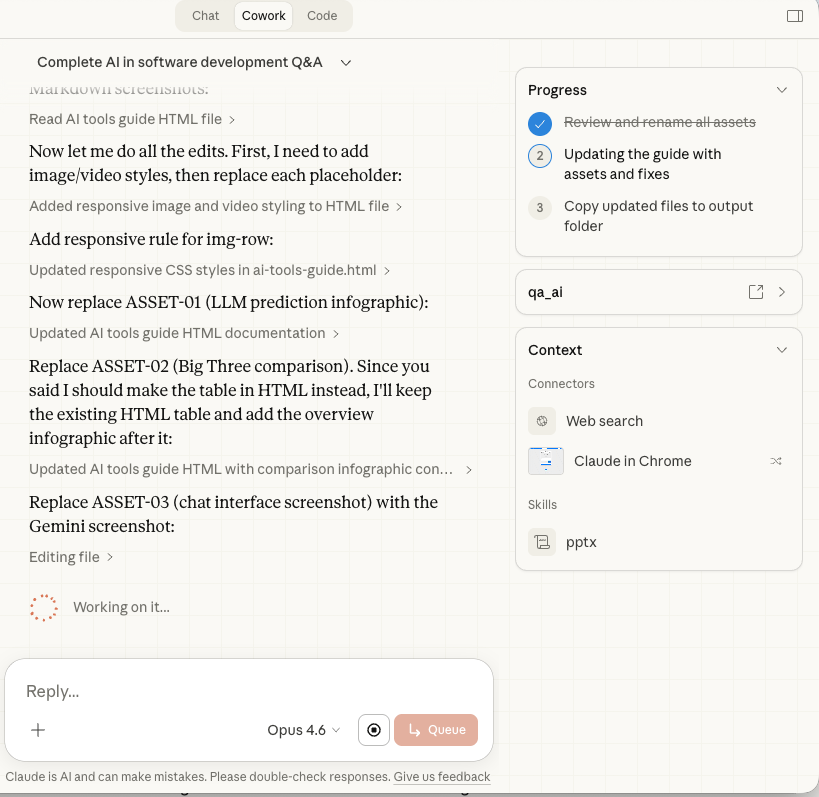
A few important things to understand about Cowork:
It runs code on your behalf. Even though you never see or write code, Cowork is generating and executing code behind the scenes to accomplish your tasks. When it analyses a spreadsheet, it's writing a small program to do it. When it creates a chart, it's running code to render it. This is why it can be so much more precise and reliable than a chat tool for complex tasks, it's not just predicting what a good answer might look like, it's computing it.
It works with your files. You point Cowork at a folder on your computer, and it can read, create, and modify files in that folder. This is fundamentally different from a chat tool, which can only work with what you paste into the conversation.
It's still early. As of February 2026, Cowork is in research preview. It's powerful but rough around the edges, and we'll talk about that honestly in Section 11.
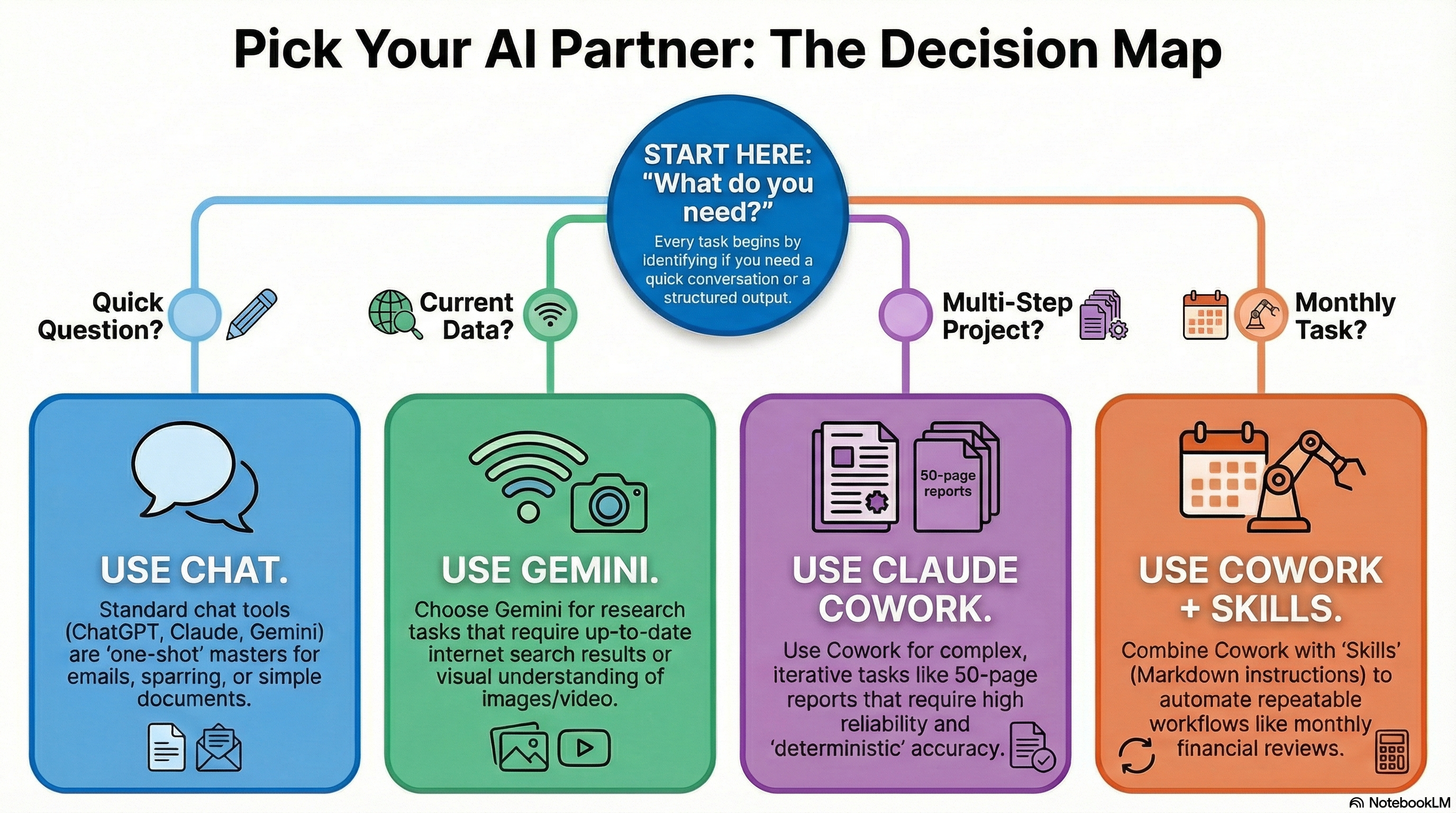
When to Use What: A Practical Decision Framework
This is the section you can bookmark. When you're staring at a task and wondering which AI tool to reach for, here's how to think about it:
Quick question or brainstorm
"Who are the main competitors in X?" or "Help me draft this email."
Any chat toolResearch with current data
"What did Company X announce last week?" or "Find recent reviews of this product."
GeminiBig, structured analysis
"Analyse these 50,000 rows and produce a report with charts and recommendations."
CoworkRepeatable monthly workflow
"Every month, pull our ad data, analyse performance by market, and produce a deck."
Cowork + SkillsThe core principle is simple: match the tool to the complexity of the task.
If the expected output is a conversation, a short text, or a simple answer, use a chat tool. They're faster, more mature, and perfectly suited for it. You don't need to spin up Cowork to ask "what's a good subject line for this email."
If the task is multi-step, requires working with files, demands precision with numbers, or produces a complex deliverable, that's where Cowork earns its keep. The overhead of setting it up only makes sense when the task is substantial enough to justify it.
And if the task involves searching for current information on the web, Gemini's integration with Google Search gives it a genuine edge over the others.
Connectors: How AI Talks to Your Other Tools
So far, everything we've discussed involves you and the AI in a conversation. But what if the AI could reach into your other tools, your Google Drive, your CRM, your project management system, and pull in the data it needs?
That's what connectors do. They're the bridges between AI and the rest of your software ecosystem.
MCP stands for Model Context Protocol. It's a standard, originally created by Anthropic but now widely adopted, that defines how AI tools connect to external services. Think of it as a universal adapter: just as USB lets any device plug into any computer, MCP lets any AI tool plug into any compatible service.
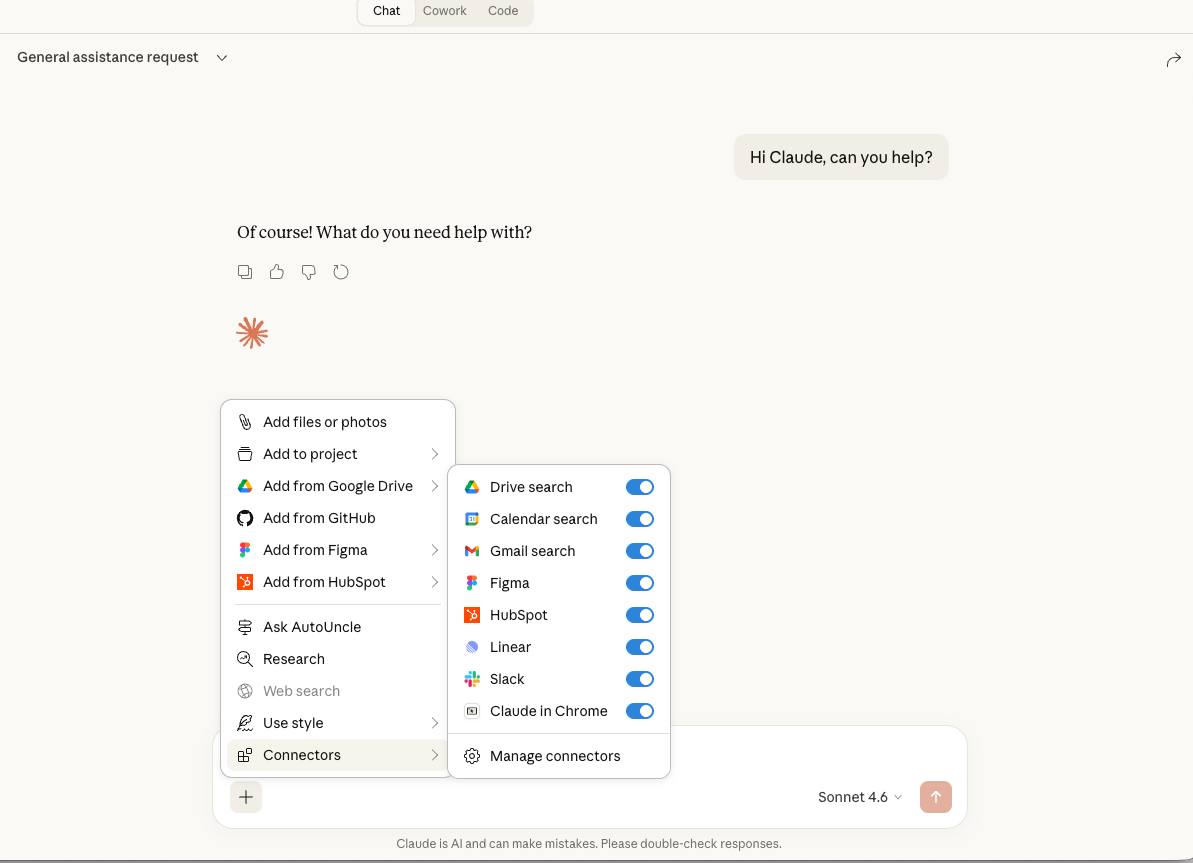
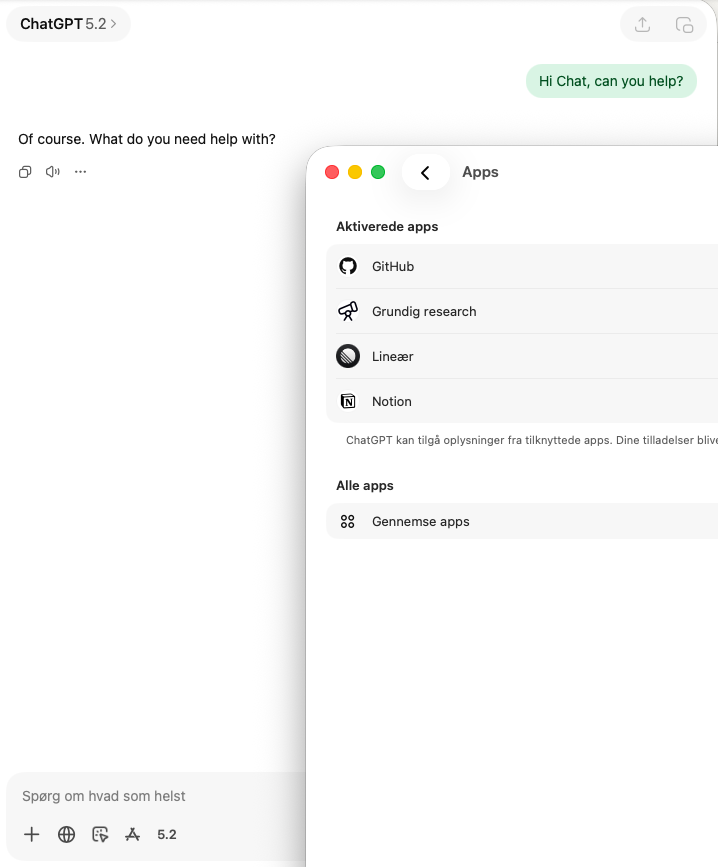
You'll see connectors called different things depending on where you are: "apps" in ChatGPT, "MCP servers" or "connectors" in Claude. They're all doing the same thing: giving AI access to data and actions in other systems. Gemini doesn't support MCP yet, it has its own built-in "extensions" for Google services (Drive, Gmail, Calendar, Maps) but can't connect to arbitrary third-party tools the way Claude and ChatGPT can.
Here are some practical examples of what connectors enable:
- Google Drive connector, AI reads your documents and spreadsheets directly, without you having to copy-paste content into the chat.
- HubSpot or Salesforce connector, AI pulls customer data, deal information, or support tickets into the conversation.
- Figma connector, AI accesses design mockups and can reference them when you're discussing a project.
- Slack connector, AI reads channel history and can summarise what's been discussed.
- Your company's internal data, Custom connectors can expose your own databases and systems to AI.
The key insight is that MCP connectors are becoming a cross-platform standard. The same MCP connector works in Claude Chat, in Cowork, and in ChatGPT. If your company builds an MCP connector for its internal data, that connector can be used across multiple AI tools, not just one. This is a big deal: it means you invest once and benefit everywhere. Google is the notable exception right now, Gemini only connects to Google's own services natively, though this will likely change as MCP adoption grows.
- Open claude.ai and navigate to your settings.
- Look for Integrations or Connected Apps.
- Find Google Drive and click Connect.
- Authorise access with your Google account. You'll choose which folders or files to share.
- In your next conversation, Claude can now reference your Drive files. Try: "Summarise the latest version of our Q1 report from Google Drive."
The Browser Fallback: When There's No Connector
What happens when AI needs to interact with a tool that doesn't have a connector yet? There's a fallback: browser control.
Several AI tools, including ChatGPT's agent mode, Claude's computer use, and Cowork's built-in browser, can open a web browser and interact with it the way you would. It navigates to a website, reads what's on the screen, clicks buttons, fills in forms.
This sounds impressive, and it is. But it's important to understand why it's a fallback and not the primary way AI should interact with your tools:
- It's slow. Taking a screenshot, analysing it with computer vision, deciding what to click, taking another screenshot, analysing again, this is orders of magnitude slower than a direct data connection.
- It's expensive. Computer vision (interpreting visual screenshots) uses significantly more computing power than reading structured data through a connector.
- It's fragile. Websites change their layouts. Buttons move. Pop-ups appear. A connector reads data directly and reliably; a browser interaction can break when the website updates.
Browser control is great for one-off tasks where no connector exists, like filling out a form on a website you rarely use, or checking something on a service that doesn't offer an API. But for anything repeatable or data-heavy, you want a proper connector.
Skills: Teaching AI to Repeat What You Need
This is where things get really powerful. Imagine you have a monthly task: pull ad spend data, break it down by market, compare against last month, flag anything unusual, and produce a formatted report. Every month, same process.
Without skills, you'd have to explain this from scratch every time. With a skill, you write the instructions once, and the AI follows them reliably every time you invoke it.
A skill is simply a set of instructions written in a text file. It tells the AI exactly how to perform a specific task: what data to pull, what steps to follow, what the output should look like, and what standards to maintain. Think of it as a recipe card that the AI follows precisely.
Markdown is a simple way to format text using plain characters. For example,**bold** makes text bold, and # Heading creates a heading. It's the preferred format for AI instructions because it's clean, structured, and easy for both humans and AI to read.
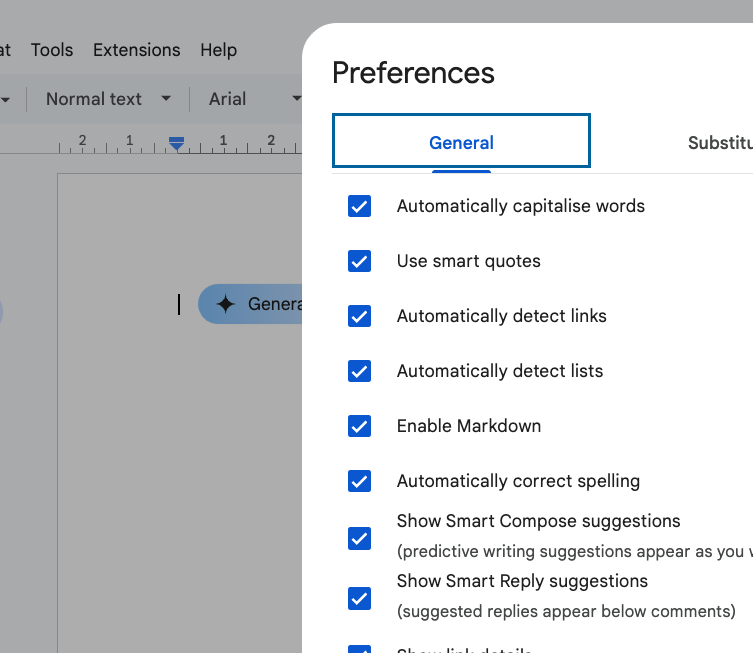
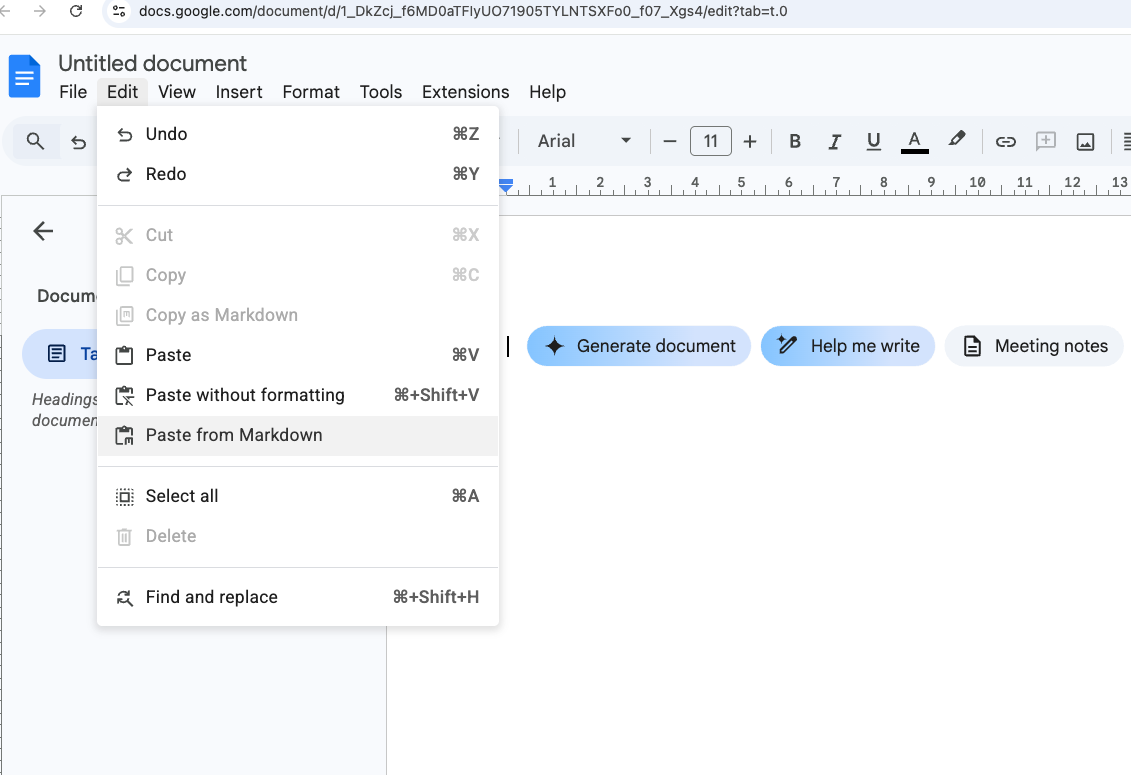
You can write Markdown in any text editor, and many tools support it natively. Google Docs even has a Markdown setting: go to Tools → Preferences → Enable Markdown. You can also paste Markdown content via Edit → Paste from Markdown, or copy your doc as Markdown with Edit → Copy as Markdown.
Skills were originally a concept from Claude Code (for developers), but the idea has been adopted into Cowork and is spreading across the industry. The reason is simple: it works. Once you've written a good skill, the AI follows it consistently without you having to re-explain the task.
Here's what a real skill might look like in practice:
- Create a text file called
monthly-ad-review.mdin your Cowork workspace folder. - Describe the task in plain language: "Every month, open the ad spend spreadsheet, calculate total spend per market, compare to last month's numbers, flag any market where spend changed by more than 15%, and produce a summary report as an Excel file."
- Specify the data sources: "The ad spend data is in
ad-spend-2026.xlsx. Last month's report is inreports/." - Define the output format: "The report should have one sheet per market, a summary sheet with charts, and a one-paragraph executive summary."
- Save the file. Next time you open Cowork and ask it to "run the monthly ad review," it will find and follow these instructions automatically.
The beauty of skills is that they're just text files. You can read them, edit them, share them with colleagues, and improve them over time. And because they use the MCP-standard format, skills you create for Cowork will likely work with other AI tools as they adopt the same standards.
The Honest State of Things (February 2026)
I wouldn't be honest if I didn't include this section. The tools are genuinely powerful, but they're also genuinely early. Here's what you should know:
Cowork is in research preview. This means Anthropic is shipping updates almost daily. Things that work on Monday might behave differently on Wednesday. Features that work on Mac may not work on Windows yet, and vice versa. If you've tried it and found it frustrating, that's not you, it's the reality of using a product this early in its development.
Connectors are incomplete. As of right now, many connectors are read-only. For example, the Google Drive connector in Claude can read your files, but it can't reliably write back to them. This means you'll sometimes need to bridge the gap manually: download a file from Google Drive, let Cowork edit it locally on your computer, and then upload the result yourself.
The chat tools are more stable. ChatGPT, Gemini, and Claude Chat have had years of refinement. They're mature, reliable products. If you're finding Cowork frustrating, it's perfectly fine to use chat tools for now and come back to Cowork as it matures. You're not falling behind, you're being pragmatic.
Competition will improve everything. Google is very likely working on their own Cowork-equivalent, with native Google Workspace integration. OpenAI will do the same. When those launch, the ecosystem will improve rapidly. If you're deeply invested in Google's tools (Sheets, Docs, Drive), Google's version may serve you better than Cowork does today.
Where This Is All Going
If you take one thing from this guide, let it be this: the tools are going to keep getting better, fast. What feels clunky today will feel polished in two months. What requires manual bridging today will be seamless by summer. The underlying models improve every few weeks, and the products built on top of them improve just as quickly.
Here's what I expect to see in the near future:
- Every major provider will have a "Cowork", Google, OpenAI, and others will release their own agent-based workspace tools, each with deep integration into their own ecosystems.
- Connectors will mature rapidly, read-only will become read-write. The manual bridging workarounds will disappear as connectors handle the full loop.
- Skills will become universal, the concept of reusable AI instructions will be adopted across platforms. A skill you write today will likely work across multiple tools tomorrow.
- The distinction between "chat" and "agent" will blur, chat tools will get more agent-like capabilities, and agent tools will get better at simple conversations. The right tool for the right task will become less about which app to open and more about how you frame the request.
Your job right now isn't to master every tool. It's to build the muscle. Learn to prompt well. Understand the difference between a quick chat task and a complex agent task. Start experimenting with connectors and skills when you have a real use case. The specifics will change, but the underlying concepts won't.
If you want to go deeper, explore the rest of this series: It Wasn't Wrong covers the emotional shift for senior developers, Shifting Gears has practical dos and don'ts, the 75 Questions dives into the bigger picture, the AI Cookbook covers principles and daily tactics, andDon't Just Tell It. Enforce It. is about building automated quality guardrails. For what happens when software becomes nearly free to build, see The Price of Software Just Hit Zero. And for podcasts to keep you sharp, there's my curated list.
The Toolbox, Tools Worth Knowing
Beyond the Big Three chat tools, there's a growing ecosystem of specialised AI tools that are genuinely useful right now. This isn't an exhaustive list, it's the tools I personally use and recommend. Click each one to see what it does and how I use it.
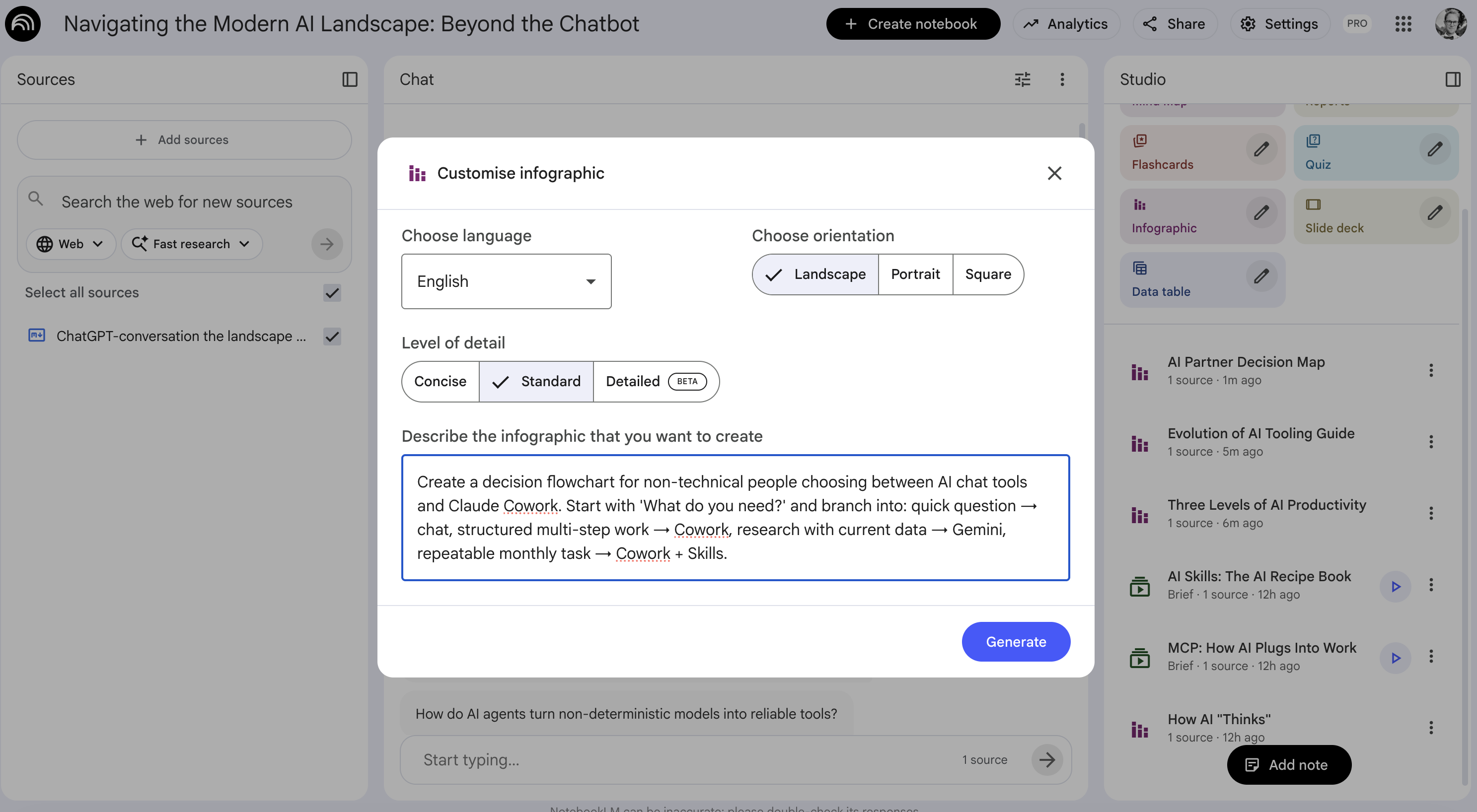
NotebookLM is Google's research and knowledge tool, and it's become one of my most-used tools for a specific reason: it's the fastest way to bring people up to speed on a project. You feed it sources, PDFs, Google Docs, YouTube videos, meeting transcripts, website URLs, and it can generate podcasts, videos, infographics, FAQs, study guides, timelines, and more from that material.
Its original killer feature was the podcast generator: upload your sources, and it creates a surprisingly engaging two-host audio discussion of the material. Now it's even interactive, you can join the conversation and ask questions while it records. But the real power is broader than podcasts. It's a knowledge broadcasting machine.
If you use Google Workspace, it's even better, all your Drive documents, Slides, and Sheets are one click away as sources. The key to getting great results: give it as much context as possible. Don't be selective. Throw in the transcripts, the PDFs, the meeting notes, the specs. More context = better output.
 Try NotebookLM →
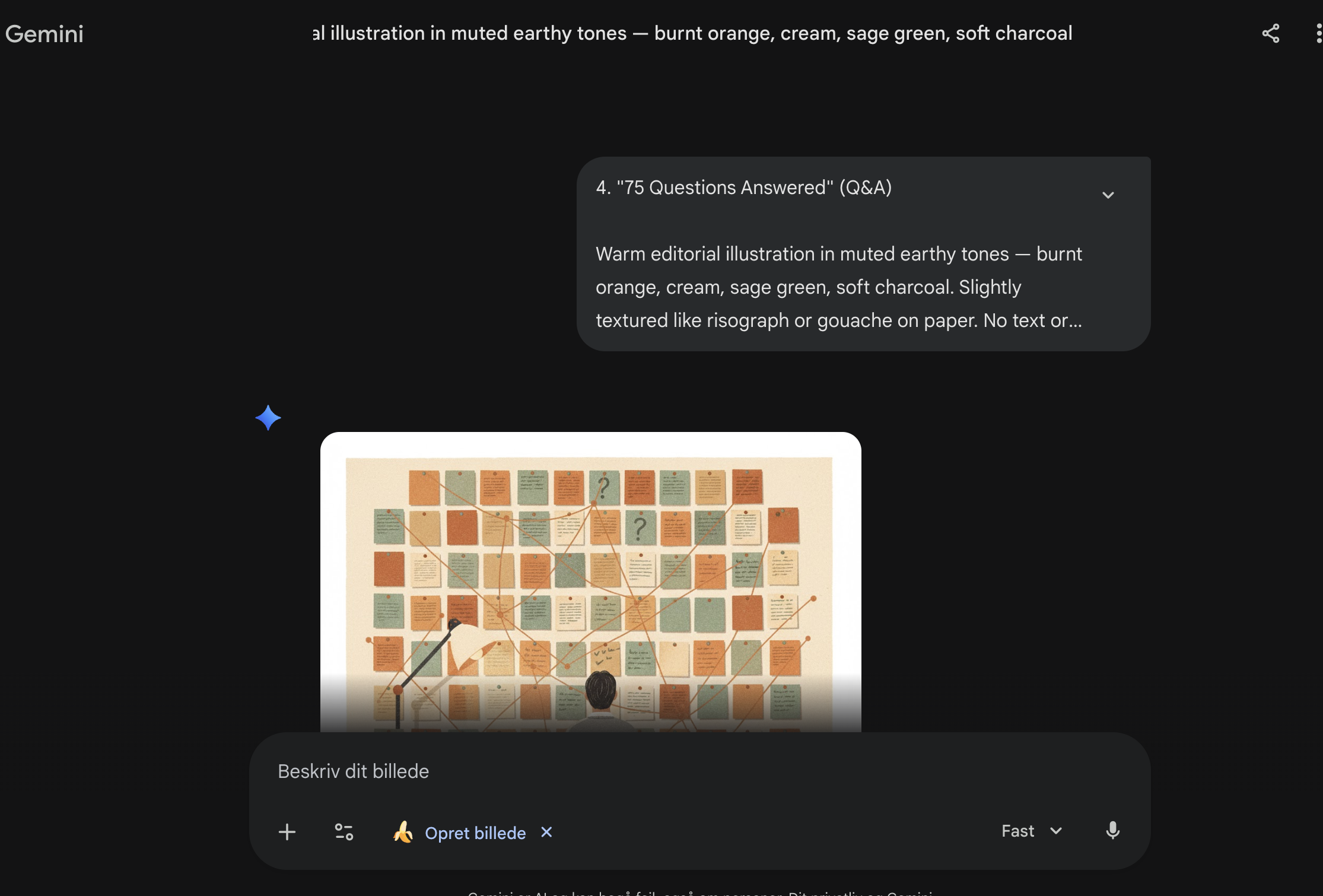
Gemini's image generation, nicknamed Nano Banana, is, as of early 2026, the best AI image generator available to the public. The quality is remarkable: it handles styles, compositions, text in images, and complex scenes far better than the alternatives. And there's no setup, you just go to gemini.google.com, type a prompt describing what you want, and it generates it.
If you need cover images, illustrations, diagrams, social media visuals, or any kind of imagery for content, this is the tool. The consistency and artistic quality are a clear step above everything else right now.
 Try Gemini →
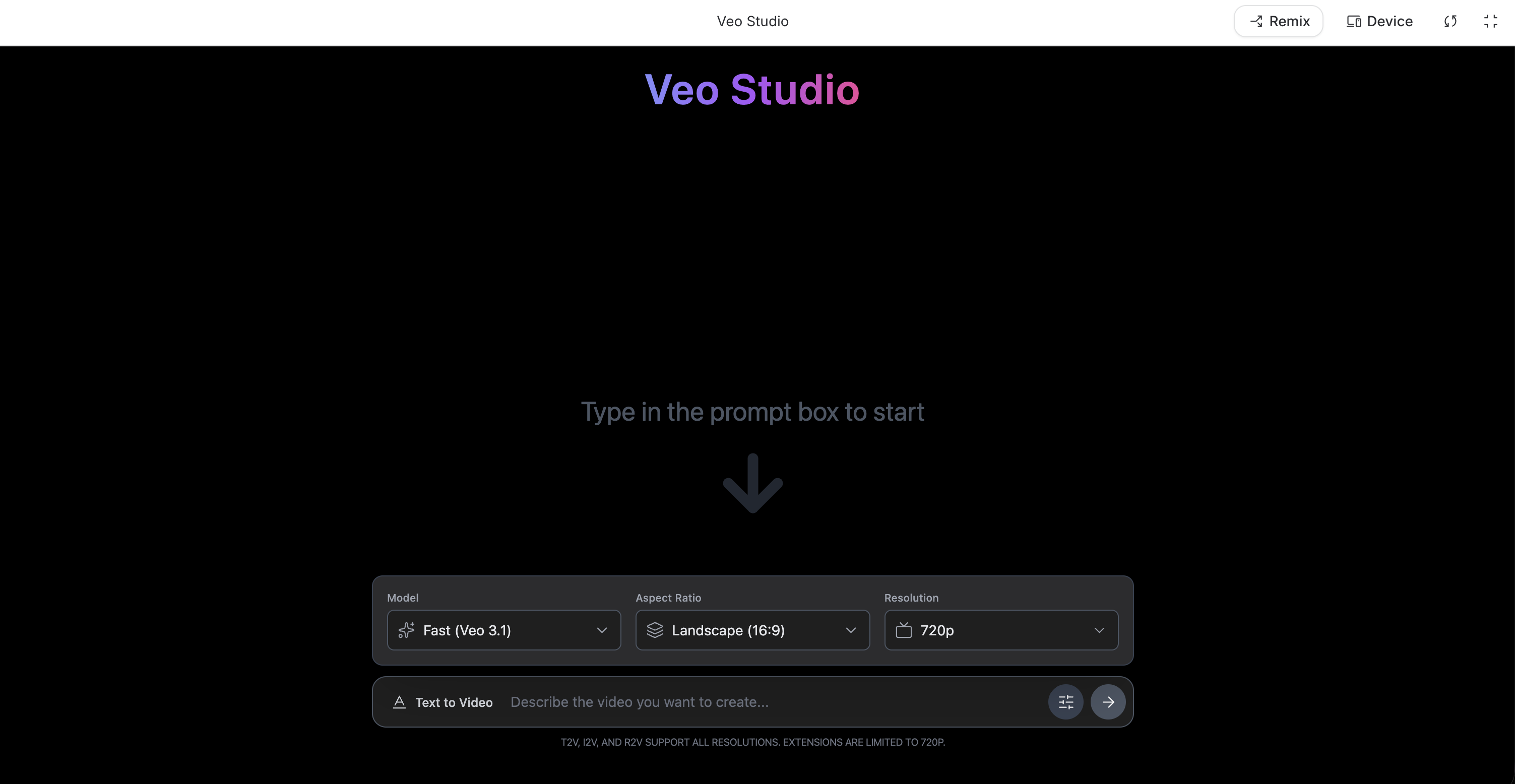
Veo is Google's video generation model, and it's currently the leading tool for creating AI-generated video content. If you need product demos, explainer clips, social media video, or visual storytelling, and you want full control over what's generated, Veo gives you that.
The quality and coherence of the video output is genuinely impressive, and it's improving rapidly. For anyone who needs video content but doesn't have a production team or budget, this is a game-changer.
 Learn about Veo →
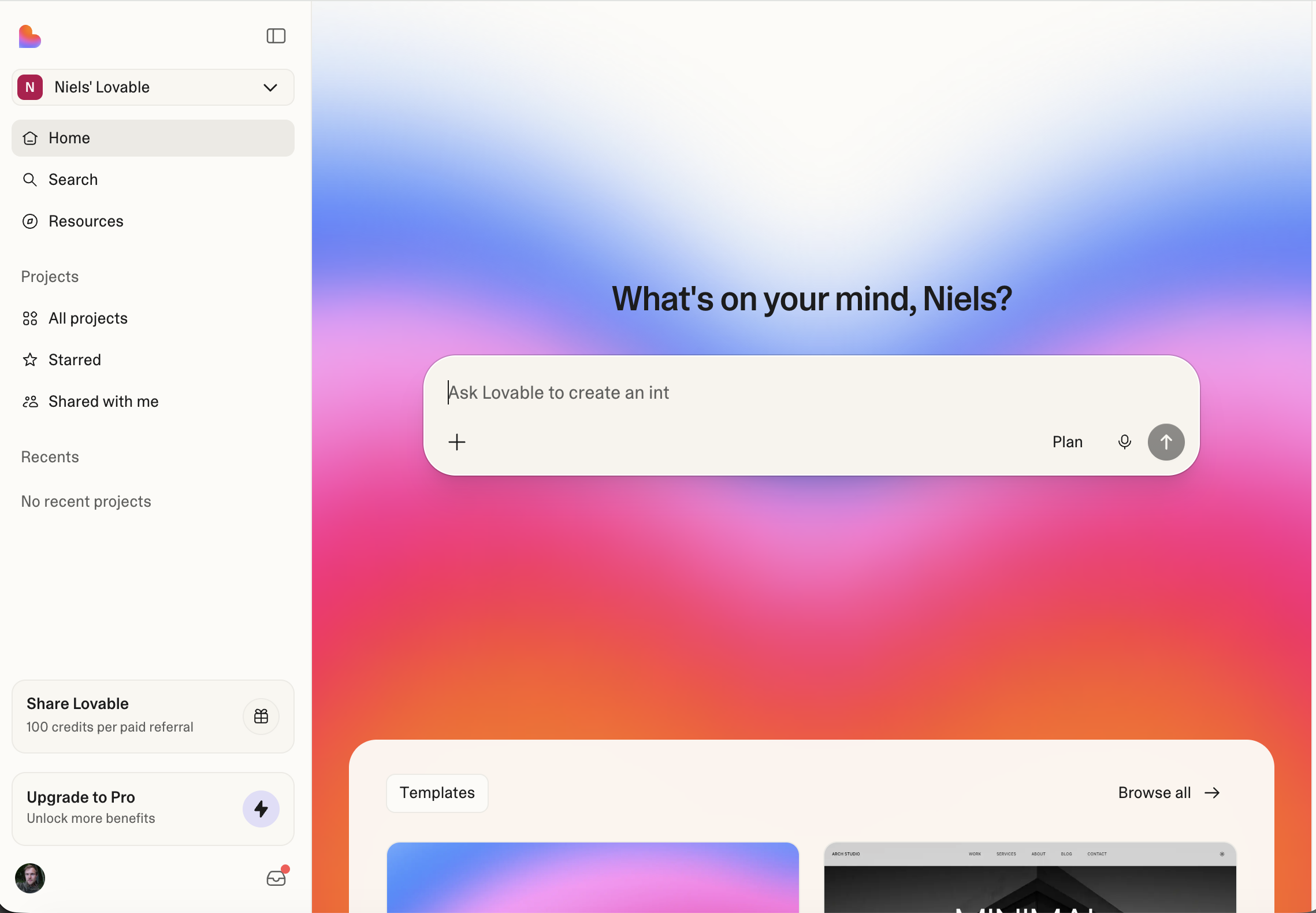
Lovable is a website and web-app builder that lets you go from a text prompt to a live, deployed website in minutes. You describe what you want, it generates the code, and you can visually edit the result, drag things around, change colours, swap content, without touching any code yourself.
For quick landing pages, internal tools, prototypes, or even fairly advanced web services, it's genuinely fast. It handles the domain setup and hosting too, so there's zero infrastructure overhead. You can also do similar things with Claude Cowork (which is what I used to build this blog), but Lovable is purpose-built for it and has the edge on speed and visual editing.
 Try Lovable →
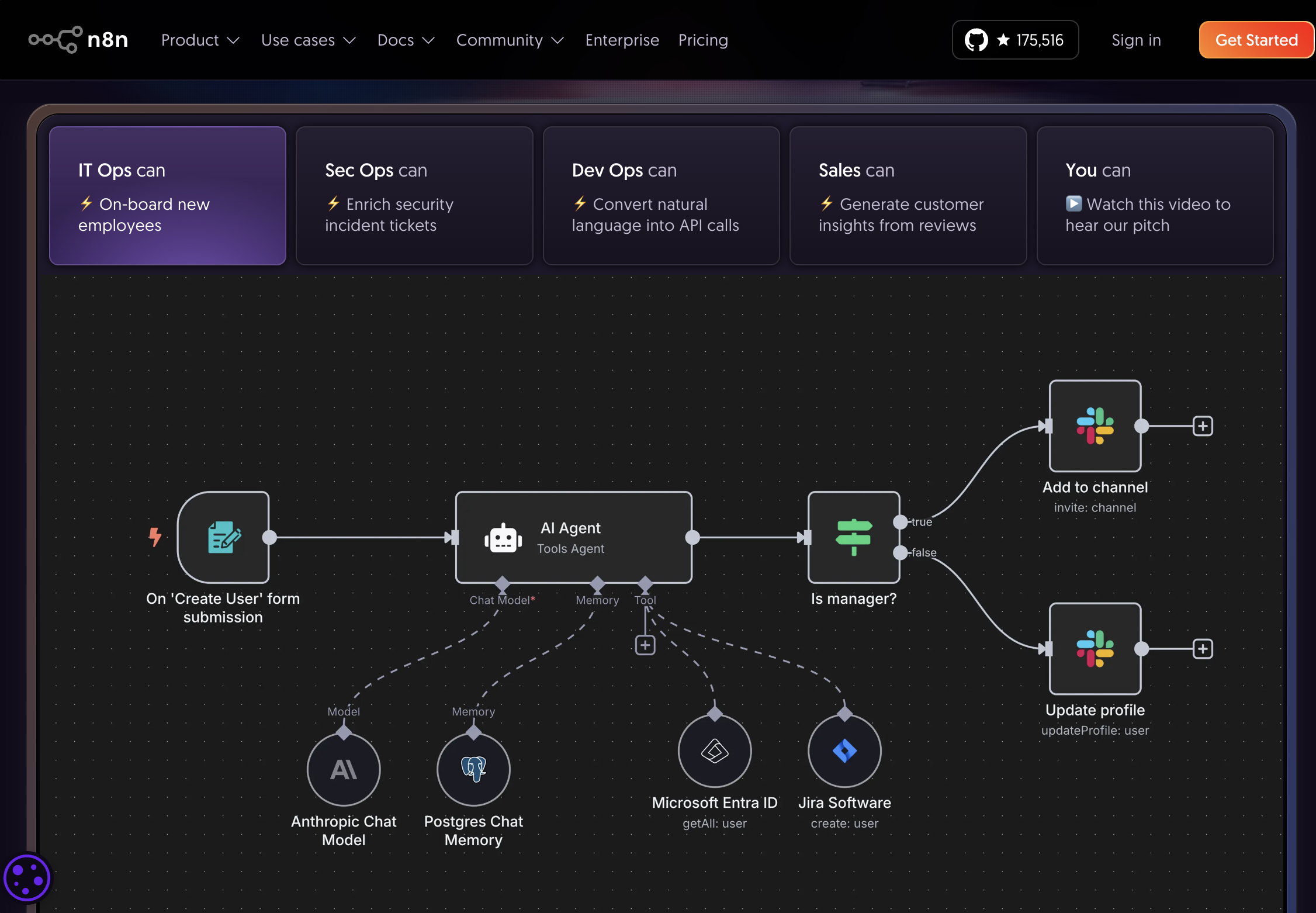
n8n is a visual workflow automation tool, think of it as a way to connect different systems and have them talk to each other through a visual drag-and-drop interface. What makes it especially powerful in the AI era is that you can plug AI models directly into these workflows.
This means you can build things like: "When a new support ticket arrives in Zendesk, have Claude analyse it, categorise it, draft a response, and post it to Slack for review." Or: "Every morning, pull the latest sales data, have an AI summarise the trends, and email a brief to the leadership team." These are advanced orchestration workflows, but n8n makes them accessible without deep programming knowledge.
 Try n8n →
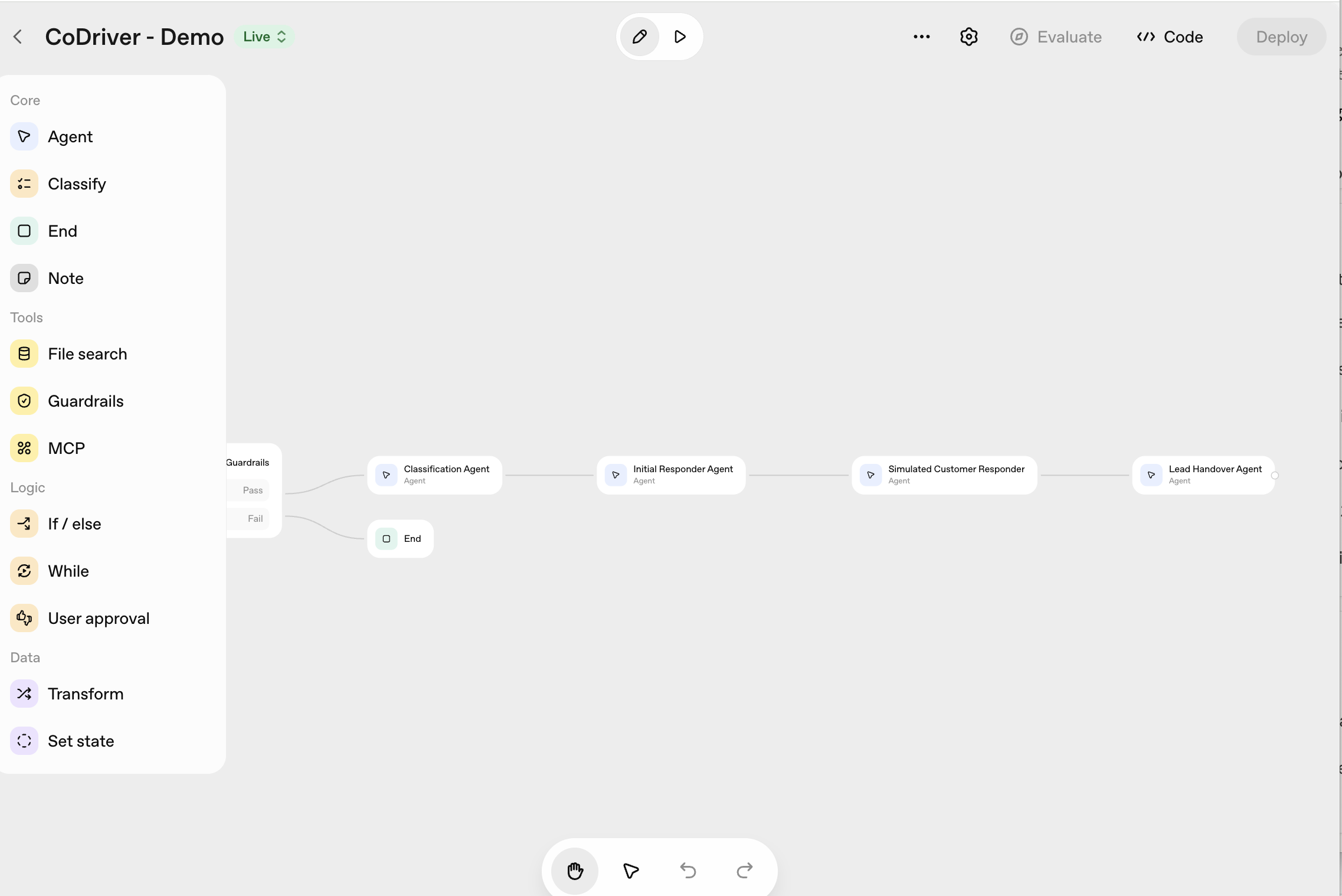
OpenAI's Agent Builder (part of the OpenAI platform) lets you create custom AI agents, purpose-built assistants that go beyond simple chat. These agents can use tools, search the web, read files, execute code, and carry out multi-step procedures autonomously.
Where n8n is about connecting systems visually, the Agent Builder is about creating intelligent actors that can reason through complex tasks. You define the agent's purpose, give it access to the tools it needs, and it handles the rest. It's more technical than the consumer chat tools, but the power is significant for anyone building AI-powered products or internal tools.
 Explore OpenAI Platform →
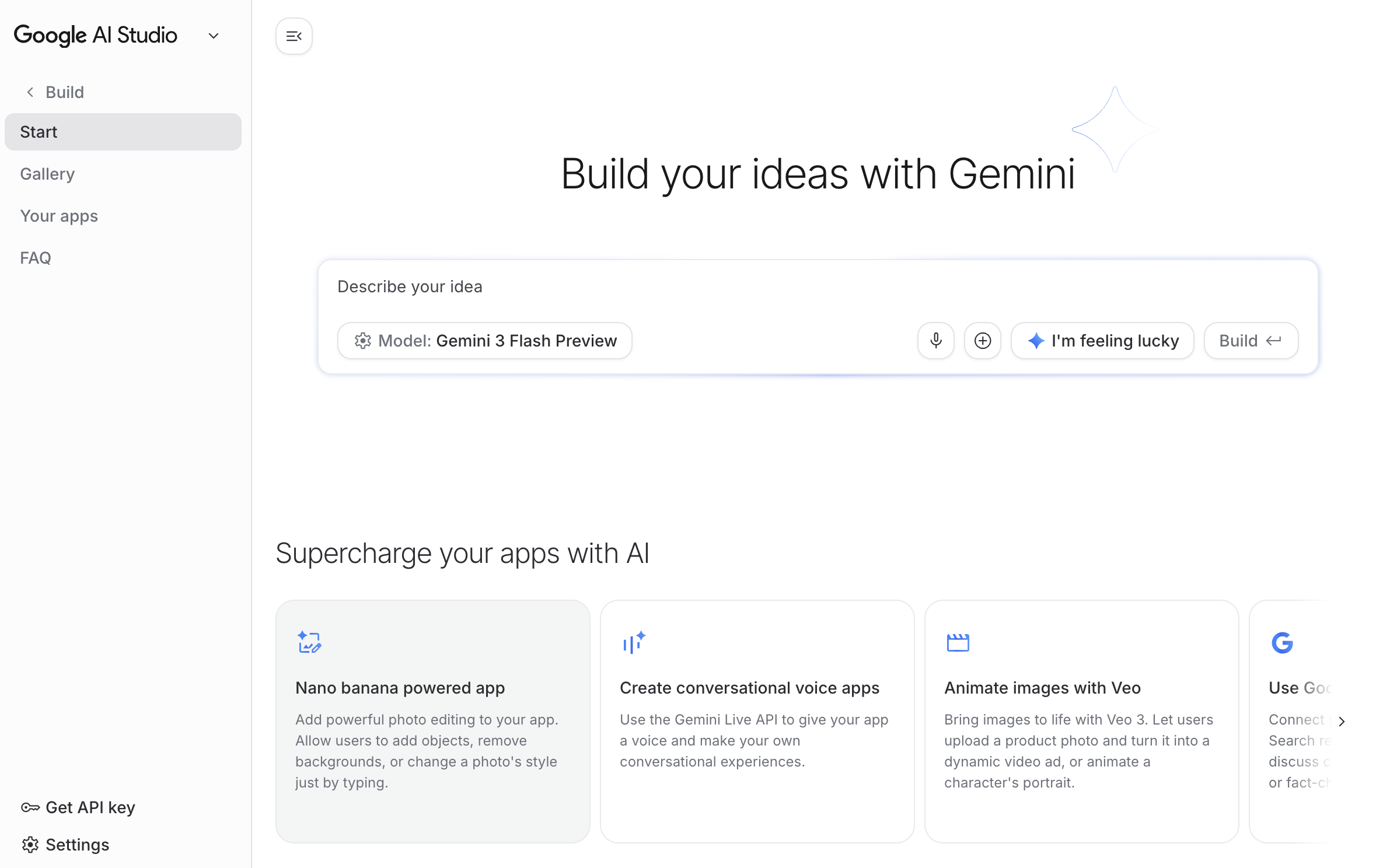
Google AI Studio is Google's playground for building with AI. Think of it as something between Cowork and a developer tool, it's more technical than consumer chat, but far more accessible than writing code from scratch. You can build apps, generate images, create functionalities, test prompts, and prototype ideas, all within a single interface.
It gives you direct access to Google's latest models (Gemini, Veo, Imagen) and lets you combine them in creative ways. If Cowork is about working alongside AI on your daily tasks, AI Studio is about building new things with AI as the foundation. It's particularly powerful if you're already in the Google ecosystem.
 Try Google AI Studio →