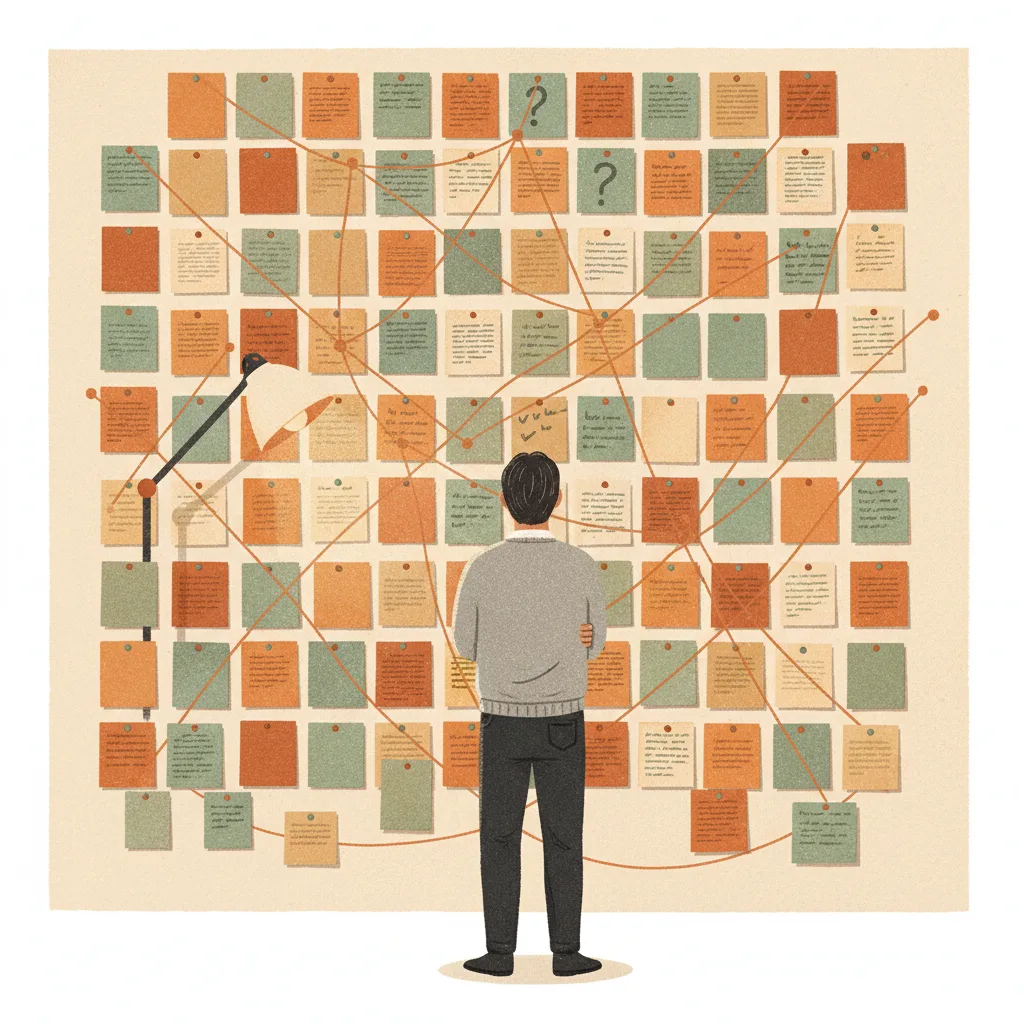
1. Fundamental Direction
I find myself increasingly using LLMs for everything: not just writing application logic, but configuration files, YAML, infrastructure-as-code, database migrations, things that were always considered "manual work" that you just had to grind through. The trajectory over the past year has been steep and consistent: each month, more of the work moves from human-authored to AI-authored. Microsoft AI chief Mustafa Suleyman recently predicted that most tasks involving "sitting at a computer" will be fully automated within 18 months. Whether his timeline is exactly right is debatable, but the direction isn't. The shift isn't coming, it's already here for those who've embraced it. The remaining question is how quickly the rest of the industry catches up.
In practice, you still occasionally edit a line, point AI to a pattern, or nudge it in a direction. But you're not sitting down to write classes, functions, or scripts yourself anymore. Your role shifts from author to director. You describe what you need, provide context about why, and let AI handle the how. The better you get at describing intent and providing context, the less you need to touch the code at all. This isn't a loss of control, it's a different kind of control, operating at a higher level of abstraction.
AI isn't just a faster drill or a better shovel. It transforms how we plan, execute, orchestrate, and measure quality. The metrics we focused on before, lines of code, velocity points, commit frequency, become less relevant because the cost of building, changing, and redoing has been radically reduced. But the paradigm shift goes deeper than productivity. Think of it as the difference between hand-digging and operating an excavator. The excavator doesn't just make digging faster; it changes what you can build, what's economically viable, what projects you'd even consider attempting. An experienced operator with an excavator doesn't just dig faster holes, they take on projects that would have been impossible with hand tools. That's what AI does to software development: it doesn't just accelerate existing work, it expands what's possible.
This isn't about punishing anyone for being cautious. Healthy scepticism is natural when tools change this fast. But the reality is that engineers who fully embrace AI-assisted development are already producing significantly more, and often better, output than those who don't. That gap compounds over time. The concern isn't just about individual productivity; it's about relevance. As teams and companies restructure around AI-native workflows, the skills that matter shift. Engineers who've been building their "operator skills", context management, delegation, architectural thinking, will be better positioned than those who've been refining skills that AI now handles. The best thing anyone can do is start experimenting, even in small ways. The barrier to entry is low, and the learning curve is more forgiving than people expect.
Productivity increases because you can work concurrently: instruct AI on a task, detach, move to something else, return, review, refine, repeat. You're no longer serialised by your own typing speed. Enjoyment increases because your chances of building impactful products have multiplied, you spend more time on creative decisions and less on mechanical implementation. Competitiveness follows naturally: teams and companies using AI effectively will outproduce and outpace those that don't. And survival is the honest long-term framing. Microsoft, Google, Anthropic, and every major tech company are restructuring around AI-native development. The companies and teams who don't follow will find themselves competing against organisations that produce more, faster, and cheaper. This isn't about hype, it's about a structural shift in the economics of building software.
The shift is from writing code to directing AI, and that requires a different set of muscles. Delegation is the big one: giving clear instructions, setting goals, anticipating problems, and trusting the process while staying critical of the output. If you've been a leader or manager, you already understand this. You must explain context, share concerns, describe edge cases, and accept that the first output might need refinement, just like managing a capable but new team member. Product managers often take to "vibe coding" naturally, because it's fundamentally about understanding user problems and explaining them clearly, not about syntax or language expertise. Domain knowledge becomes more valuable than ever: the excavator operator who understands soil types, load-bearing requirements, and structural engineering can do extraordinary things with the machine. The one who just knows which levers to pull produces mediocre results. Curiosity and experimentation matter too, a "popcorn brain" that generates lots of ideas and loves to explore creates enormous leverage when paired with AI's speed of execution.
2. Skill Evolution, Thinking, and Human Capability
This is a real challenge that extends well beyond software development, it's about maintaining critical thinking in an era of abundant, confident answers from any source. The important nuance is that AI is often not strictly wrong; it's that the solution could be done differently, or that you didn't provide enough context for it to land on the best approach. The fix is developing a habit of interrogation: when AI produces something, ask yourself whether it addressed the full picture. Did it account for your edge cases? Did it consider the constraints you forgot to mention? Anthropic's own research found that engineers who use AI strategically, asking for explanations, probing conceptual questions, requesting trade-off analysis, maintain and even deepen their understanding. It's the ones who passively accept output without engagement who atrophy. The skill isn't "solving the problem yourself from scratch." It's knowing enough to evaluate whether the solution is right, and having the instinct to provide better context when it isn't.
AI-generated code is generally excellent, often better than senior developers' work in terms of naming, comments, and structure. Where it can fail is at fundamental architectural decisions: choosing the wrong pattern for the domain, missing a cross-cutting concern, or optimising for the wrong dimension. This means the important conversations need to move upstream. Instead of reviewing code in pull requests, we should review plans before implementation. Discuss the context, proposed solutions, and caveats while the design is still malleable. If the plan was thoughtful and the model capable, the resulting code is virtually guaranteed to be solid. Engineers don't need to have written every line to argue about architecture, they need to have engaged with the thinking that shaped the architecture.
Code moves too fast now to memorise every architectural decision from a week ago. But that's actually fine, because AI is an extraordinary tool for catching up. Ask it to explain a module, trace a data flow, summarise the business rules in a given area. If you don't understand a data model, ask AI to build you a visual representation. If a development process is unclear, ask it to walk you through it step by step. AI isn't just a code-production machine, it's the best codebase exploration tool ever built. With good self-documenting patterns and proper planning phases, you can trust that the codebase isn't fundamentally broken even when you can't hold it all in your head. The discomfort of not knowing everything by heart is really a comparison to old codebases where memorisation was the only shortcut. Now there's a faster one.
AI is here to empower, not to make people passive. You don't become complacent when you get a more impactful role, you typically become more engaged. Complacency stems from lack of motivation, lack of visible impact, lack of recognition, and poor culture, not from having better tools. If anything, AI raises the bar for what's possible, which tends to make motivated people more ambitious, not less. The real question is whether your environment encourages people to engage deeply with AI or to treat it as a black box. Teams that share techniques, celebrate creative uses, and discuss AI output critically will stay sharp. Teams that just say "let AI handle it" without any engagement will drift. That's a management and culture problem, not a technology problem.
The honest answer is that distinguishing good code from bad code at the implementation level is something AI is already better at than most humans. It knows best practices, it's consistent, and it doesn't have off days. What humans need to be critical about is the layer above: the architecture, the plan, whether the solution fulfils the intended purpose, whether it handles the edge cases that matter for your specific domain. We can agree on standards and encode them into skills and review tools, and AI will adhere to them without question and without forgetting. The baseline quality of AI-generated code is already high enough that nitpicking implementation details is no longer where human attention creates value. Focus on whether the right thing was built, not whether it was built in the right style.
This concern isn't specific to programming. Throughout history, certain skill sets have become less necessary because new technology handles them better and faster. We don't mourn the loss of hand-copying manuscripts or manual bookkeeping, those skills were replaced by capabilities that freed humans for more creative and strategic work. The same dynamic applies here. Yes, you may lose some of the muscle memory of writing code syntax from scratch. But what you gain is the ability to think at a higher level of abstraction: designing systems, evaluating trade-offs, understanding user needs, orchestrating complex workflows. These are more valuable skills, not less valuable ones. The concern assumes that the skills being delegated are irreplaceable. They're not, they're being upgraded. The excavator operator doesn't lament that they can no longer dig with a shovel as efficiently. They're too busy moving mountains.
3. Code Quality, Innovation, and the "Mediocrity" Concern
The "dog eating its own tail" scenario, AI models trained on AI-generated output, gradually degrading quality, sounds alarming in theory. In practice, several forces work against it. First, humans still orchestrate and curate: when AI-generated content makes it onto the internet, a human typically decided it was good enough to publish. Second, AI companies are acutely aware of this risk and carefully curate training data to prevent quality degradation, their business depends on it. Third, if AI produces genuinely high-quality code that follows best practices, there's nothing inherently wrong with training on quality. Innovation still happens at the human layer, I've seen people create entirely new programming languages, novel architectural patterns, and creative solutions using AI as the execution engine. Human brains drive innovation; AI accelerates the execution. The two aren't in tension.
The code I've created with AI in the past six months follows best practices more consistently than my manually written code ever did. It's easier to enforce DRY principles, consistent naming, thorough documentation, and structural patterns with AI, because AI doesn't have off days, doesn't cut corners when tired, and doesn't have style preferences that drift over time. I'd happily train new models on the code my team is producing now. The shift this enables is important: my attention has moved from policing code quality rules to focusing on actual innovation, what we build and why, not whether someone used the right naming convention or forgot a null check.
If "degrading" means code quality at the implementation level, this is actually less of a concern than it was before AI. We're producing code to a higher and more consistent standard, with less variation between developers because fewer people are hand-writing different flavours. We can establish centralised agreements on how code should look and AI will adhere to them, no more endless pull request debates about style. For architecture, the story is different: architecture quality comes from thoughtful upfront planning, clear documentation of intent, and periodic review of whether the system still serves its purpose. Move quality assurance upstream into planning and orchestration, rather than trying to catch architectural problems in code review after the fact.
Our personal preferences for programming languages, implementation styles, and aesthetic choices are becoming less important. What matters is whether it works, whether it performs well, and whether it solves the actual problem. Changing code is now so cheap that you're no longer locked into someone's framework preference for years. If a different approach would be better, you can refactor in hours instead of weeks. Quality is increasingly about outcomes, delivery, reliability, maintainability, rather than the code itself. The "craft" of hand-written code was meaningful when humans had to read and maintain every line. When AI can handle both production and comprehension, the definition of quality shifts toward what the code achieves, not how it looks.
Focus human judgment on the plan, the idea, and the orchestration, not on the actual code output. At CodeDriver, we solve every exception as it arrives with a simple screenshot and prompt. Keeping exceptions at bay is straightforward because our spec suites are thorough. We only go into manual code review when there are actual problems, which is rare. This doesn't mean humans are out of the quality loop, it means they're in a different part of it. The questions that matter are: Are we building the right thing? Does the architecture serve the user's needs? Are we handling the edge cases that matter for our domain? Those are human judgment calls that AI can inform but shouldn't make alone.
4. Practical Effectiveness of AI Today
When AI output doesn't match how you'd do it, the instinct is to blame the model. But more often, the issue is that no pattern was specified. AI's context window can easily handle complex CSS, component structures, and design systems, but it needs to know what yours looks like. Issues arise especially when adopting existing codebases with unclear or inconsistent patterns. If you don't tell AI how your team structures components, it'll make reasonable guesses that don't match your conventions. The fix is investing in documented patterns and feeding them into the context. Good context produces consistent, high-quality code, even frontend code, which is often considered AI's weakest area.
When people say AI produced something unreliable, what they usually mean is that it produced something different from what they expected. Almost always, the gap is in the instructions, not the model. You didn't spend enough input tokens on context, user stories, constraints, or tips. It's like handing a capable colleague a one-sentence brief and being surprised when the deliverable doesn't match the vision you had in your head. AI agents are remarkably capable, they catch edge cases, suggest improvements, and follow complex instructions well. But without clear context or documented guidelines, they'll make reasonable decisions that aren't the ones you wanted. The fix is almost always more input, not a better model.
People instinctively blame model limitations, but that's usually wrong. The models are extraordinarily capable, the limit is our ability to give them what they need. We treat AI like a vending machine, expecting it to guess our intentions from minimal input, instead of treating it like a skilled colleague who needs context to do their best work. They need clear direction, explicit constraints, and rich context about the domain, the customer, and the goals. The good news is that this is solvable: structuring documentation so AI can fetch and summarise context itself, building skills that inject relevant context automatically, and developing the habit of front-loading input tokens. The frustration isn't inherent to the technology, it's a skill gap that closes with practice.
The honest assessment is that many things people think will happen in five years are already reality today. Developer job markets are contracting. Entire applications are being built by people who don't write code, they direct AI. Engineers work productively in languages and frameworks they've never studied. Microsoft, Google, and Anthropic are restructuring their entire development workflows around AI. This isn't a future prediction, it's a description of the present. Where people go wrong is assuming that because AI isn't perfect, it must be mostly hype. It doesn't need to be perfect to be transformative. It just needs to be good enough to fundamentally change the economics of building software, and it already is.
The pace is genuinely difficult to calibrate for, even if you're paying close attention. Models that were cutting-edge in October 2025 feel dated by February 2026. Skills and structured context injection went from experimental to first-class features in weeks. Context windows doubled, then doubled again. The practical implication: any assessment of "what AI can and can't do" has a shelf life of about three months. If you tried something six months ago and it didn't work, try it again, it probably works now. The companies and teams who update their mental models frequently have a compounding advantage over those who formed an opinion once and stopped re-evaluating.
5. Large Codebases & Context Limitations
Working effectively with AI on a large codebase requires good documentation, conscious patterns, and the ability to run the code locally. These are the same things that make a codebase friendly for new human developers, AI just raises the stakes. Without clear documentation, AI will make reasonable but wrong assumptions about your conventions. Without the ability to run code locally, AI can't iterate and verify its own output. Without conscious patterns, AI will replicate whatever inconsistencies exist. The upside is significant: a large codebase that's been made AI-friendly becomes dramatically more productive to work in. The investment in documentation and patterns pays for itself within weeks.
A standard frontier model with 200k+ tokens can hold over a thousand typical source files in context. Extended modes push that even higher, and some models offer up to 1M tokens. It's a boundary you need to be aware of, AI still lacks persistent long-term memory, so every conversation starts fresh, but with good skills, structured documentation, and the habit of front-loading context, the window is rarely the limiting factor. The more important practice is knowing how to efficiently inject the right context, not worrying about running out of space.
Starting from scratch with AI is one of the best ways to learn AI-assisted development, for the same reason learning any framework is easier on a greenfield project: you're not fighting legacy decisions and accumulated technical debt while also trying to learn a new way of working. Beyond learning, AI changes the economics of greenfield projects. The investment in building something new shrinks dramatically while the potential benefit stays the same. Projects that were previously too expensive to justify, rebuilding a frontend, migrating to a new framework, creating a standalone microservice, become viable when AI can produce the first working version in days instead of months.
The approach that works is what I call the "Spring Cleaning" method: define the rules, policies, and target patterns you want to achieve, then have AI apply them systematically across the codebase. Create recursive instructions that clean up historical mistakes, inconsistent naming, outdated patterns, missing tests, and let AI work through them methodically. Containerisation and easy local execution are critical enablers. AI can't iterate effectively if it can't run the code, execute tests, and verify its own changes. Invest in Docker, devcontainers, or whatever makes your codebase trivial to spin up. That investment unlocks everything else.
Whether AI "understands" in some deep philosophical sense is an interesting question, but not a practical one. What matters is whether AI can efficiently find the relevant code, comprehend the patterns and constraints, and produce output that fits. It does this remarkably well, and it's improving rapidly. You still bring the architectural vision, the domain knowledge, and the judgment about what should be built. AI executes your ideas at a fraction of the time, often at higher implementation quality than most humans' first attempts. The combination of human understanding and AI execution is more powerful than either alone.
6. Workflow, Process, and "Golden Paths"
The core elements: First, provide good context, through well-crafted prompts, documented patterns, skills, and an orchestrated codebase. Second, invest in architectural descriptions (AI can help create these). Third, spend real time planning before coding begins, share all expectations, thoughts, concerns, what-ifs, and edge cases. Don't rush to implementation. Fourth, be mindful of training data cutoffs, make sure AI is using current documentation, not stale knowledge from its training snapshot. Fifth, after implementation, have AI review the output for security, structure, naming, duplication, and adherence to your standards. Sixth, for significant changes, run a secondary audit in a fresh context window, because accumulated context can create blind spots.
The workflow I use today has evolved significantly from just weeks ago, not small refinements, but fundamental shifts in how I approach problems. This is disorienting but also liberating. The one thing that remains constant is the importance of rich input context. Everything else, the specific tools, the model selection, the workflow patterns, is a moving target. Tooling and services are rapidly evolving toward higher levels of abstraction. The important mindset is experimentation: when you think something isn't doable with AI, you probably haven't approached it the right way yet. The capabilities expand so fast that limitations from last month may already be resolved.
Framing is about managing the context window effectively. Describe not just what you want built, but why, what AI should take into account, what concerns you have, what edge cases worry you, what trade-offs you're uncertain about. Share your loose thoughts, your half-baked ideas, your "what if" scenarios. Talk to AI like you're briefing a skilled colleague who's going to do the actual work: they need the full picture to succeed. The more of your mental model you make explicit, the better the output. AI doesn't get confused by complexity, it gets confused by ambiguity.
Start with emerging standards: skills directories, agent configuration files, or a /docs folder with markdown files describing architecture, paradigms, and procedures. Cross-reference documents so AI can navigate from one to another. The landscape of best practices for AI-friendly project setup is evolving rapidly, but the fundamentals are stable: make your conventions explicit and discoverable. A critical tip: don't write documentation manually. Prompt AI to analyse your project, ask it follow-up questions, and have it generate docs from the actual codebase. Then review and refine. A few hours invested in this process supercharges productivity going forward, and the documentation improves incrementally as you work.
Directing an agent is an active process, not a fire-and-forget one. When you see AI heading in the wrong direction, break in and redirect, don't wait for it to finish and then try to fix the result. Every repeated mistake is a signal: something needs to be documented as a permanent instruction, whether in a skill, an agent configuration file, or team-wide rules. This is the compound advantage of AI: unlike human colleagues who forget corrections and drift back to old habits, documented instructions persist. Investing in this feedback loop pays off more and more as models improve, and they improve rapidly, with meaningful capability jumps every few months.
When AI generates a large diff, having a human read through hundreds or thousands of lines of changes is neither efficient nor particularly effective. Instead, have a separate AI review pass (or a specialised tool like CodeRabbit) evaluate the output for security issues, structural problems, naming consistency, and adherence to patterns. Human attention is better spent reviewing the plan that produced the diff, not the diff itself. When your spec suites are thorough and your planning was solid, the code-level output is rarely where problems hide.
This connects to Q8: the quality conversation has moved upstream. AI rarely produces bad code, it produces code that's well-structured, well-named, and well-documented. What it can produce is the wrong solution: a perfectly implemented feature that misses a cross-cutting concern, uses the wrong architectural pattern for the domain, or doesn't account for a constraint that was obvious to the human but never stated. Catching these problems in a code review after the fact is expensive and frustrating. Catching them in a plan review before implementation begins is cheap and effective. This is the single biggest workflow shift in AI-assisted development: invest heavily in the plan, and the implementation largely takes care of itself.
When things move this fast, you can't learn from someone else's recipe, by the time they've finished explaining their approach, the tooling has evolved. Share tips and techniques, absolutely, but the real conversion happens when someone sits down, experiments with AI on a problem they care about, and sees the result. Philosophical concerns about AI, whether it's "real engineering," whether it degrades skills, whether it's sustainable, tend to dissolve once people experience the leverage firsthand. The most effective thing a team can do is create space and time for experimentation, without the pressure of immediate delivery. Let people explore, build something from scratch, and form their own conclusions from direct experience.
7. Learning, Onboarding, and Organisational Change
The most important thing is simply starting. Reserve time for experimentation, you can't learn a fundamentally new way of working while simultaneously being expected to deliver at full pace. Build an app from scratch with AI, pick a side project, or tackle a task that's been sitting in the backlog because it wasn't worth the effort before. Shadowing someone who's already effective can accelerate the process, but the real learning happens when you're in the driver's seat yourself. The barrier to entry is lower than most people expect, the basic cycle of "provide context, review output, refine" is intuitive once you start.
On a greenfield project, you see what AI can really do when it's not constrained by accumulated technical debt and inconsistent patterns. You get a clean experience of the benefits. Once you've internalised the workflow and built confidence, applying AI to legacy projects becomes much more effective, because you know what "good" looks like and can guide AI toward it. The encouraging thing is that AI is also extraordinarily useful for cleaning up legacy code. But learning on legacy while learning AI is like learning to drive in a demolition derby. Start clean, build skill, then tackle the hard stuff.
In any reasonable scenario for the future of software development, AI is central to how work gets done. This isn't a tool you can choose to opt out of, like a particular IDE or framework preference. It's a fundamental shift in how software is built, reviewed, tested, and deployed. The sooner people engage with it, the more naturally it becomes part of their workflow. Framing it as mandatory can feel heavy-handed, but the practical reality is that teams and individuals who don't develop fluency will find themselves at a growing disadvantage.
No one can hand you a learning compendium and "fix" your AI skills for you, things move too fast for that. Universities couldn't keep up teaching conventional programming; the pace of AI evolution is orders of magnitude faster. What the company can and should do is create the conditions for experimentation: dedicated time, access to tools, a culture that celebrates learning and doesn't penalise imperfect first attempts. What the individual needs to bring is curiosity and the willingness to try things that feel unfamiliar. The combination of organisational support and individual initiative is what makes teams successful at this transition.
When people feel unsure about a major change, it's natural to spiral into philosophical questioning and worst-case scenarios. Much of that anxiety stems from uncertainty and a feeling of loss of control, not from a genuine assessment of the technology. The remedy isn't dismissing those concerns, it's addressing them through shared experience. Learn together, experiment together, share discoveries and failures openly. Help each other see it as an opportunity rather than a threat. The most powerful antidote to resistance is watching a sceptical colleague have their first "aha moment" with AI, that does more than any presentation or mandate.
8. Failure Cases and Limitations
The pattern is consistent: dead ends happen when AI keeps extending solutions in a long-running conversation. The context accumulates false starts, abandoned approaches, and outdated assumptions. The model is trying to be consistent with everything it's been told, including the parts that are no longer relevant. The fix is simple: start a new conversation, explain the problem from scratch with only the essential context, and watch it solve in minutes what felt impossible in the polluted thread. This mirrors how humans work too, sometimes you need fresh eyes, and asking a colleague who wasn't in the room for the last three hours of debugging often produces the breakthrough.
When AI is clearly wrong, not just different from what you'd have done, but genuinely incorrect, that's a signal worth capturing. Document the correct expectation in your skills, agent configuration, or project documentation. The powerful difference from human teams is that AI actually retains these corrections permanently. Humans forget feedback, drift back to old habits, and need the same correction multiple times. A documented instruction for AI is permanent and consistent. Repeated mistakes from AI aren't a sign of the technology failing, they're a sign that an expectation hasn't been made explicit yet.
We trust AI because it's accurate and comprehensive most of the time, and that creates a complacency risk. The challenge is maintaining critical engagement, staying curious about whether the solution is optimal, not just functional. This is the same challenge we face with any trusted source: doctors, advisors, experienced colleagues. When someone is usually right, we stop questioning. The discipline of staying critically engaged is a fundamental human skill, not an AI-specific one. Building habits around plan review, explicit challenge prompts ("what could go wrong with this approach?"), and periodic fresh-context audits helps maintain that healthy scepticism.
9. Nondeterminism & Automation
When I provide thorough context, I get remarkably similar answers from the same model across runs. The variation that does exist tends to be in areas of genuine uncertainty, which is actually useful information. Different models give different architectural opinions, and querying multiple models for the same problem can surface trade-offs you hadn't considered. Think of it as getting perspectives from different colleagues. Within-model consistency is high when context quality is high. The nondeterminism that frustrates people is usually a symptom of under-specified input, not a fundamental limitation.
CodeRabbit and similar tools consistently produce more and better code-level review points than any human spending equivalent time. They catch security issues, race conditions, naming inconsistencies, and pattern violations with a thoroughness that's difficult to match manually. Architectural and design concerns, the kind that require understanding business context and user intent, should be addressed upfront during planning, not discovered in pull requests. For the implementation-level review that traditionally consumed most code review time, AI is already more reliable than humans.
This is a real but diminishing problem. Each new model generation is more consistent than the last. For now, the practical solution is to run AI reviews multiple times. The cost is negligible compared to human review time, and the union of findings across multiple runs is more comprehensive than any single human review would be. Build this into your workflow rather than treating it as a flaw.
There are processes where full end-to-end automation makes sense, routine deployments, standard test execution, code formatting, dependency updates. But most meaningful software development processes benefit from human involvement at either the input layer (defining what to build and why) or the output layer (evaluating whether the result serves the user). We're building systems for humans, so human judgment about user needs, business context, and "does this actually feel right" remains instrumental. AI handles the heavy lifting in between, and that's where most of the time was spent anyway.
Sandboxed environments (containers, VMs, devcontainers) are what make AI agents truly autonomous: they can write code, run it, observe the output, fix issues, and verify again, all without human intervention. This is where the productivity multiplication happens. Non-determinism across runs isn't a problem here; it's actually an advantage, as different approaches may surface different solutions. The first run alone typically catches more issues than a human reviewer would, and subsequent runs compound the coverage.
10. Process Encoding & Skills
Skills and commands go into source control, which means they improve over time and broadcast quality to everyone. Instead of relying on one expert's prompting habits, knowledge that lives in their head and is lost when they're unavailable, the whole team uses the same refined, evolving instructions. It's about scaling quality through structured, version-controlled interactions in plain English. As skills become the primary mechanism for injecting context, they also become the team's institutional memory for how AI should work on your codebase. Every improvement to a skill benefits every team member and every future AI session automatically.
11. Model Choice & Cost
Not all models are equally capable for all tasks. Frontier models excel at complex, cross-file work: architectural planning, security reviews, nuanced refactoring. Faster, more affordable models handle focused tasks, localised edits, formatting, straightforward implementations, perfectly well. The important principle is: don't use a weaker model for a hard problem to save money. The cost of rework from an inadequate model far exceeds the token savings. Model selection is also less critical than it was six months ago, the gap between top providers has narrowed significantly. Good prompting on any frontier model produces better results than poor prompting on the best model.
Even using the most capable models exclusively, most developers won't spend more than roughly €1,000/month on AI tooling, programming day and night. Compare that to a senior developer's salary, and the maths is obvious. A small team multiplying their output 3-4x through AI won't spend as much on tooling as a single additional hire would cost. Right now, the focus should be on transformation and adoption, not cost optimisation. The leverage AI provides is so disproportionate to its cost that penny-pinching is counterproductive. Optimise for speed of learning and depth of adoption; cost consolidation can come later when the team has established what works.
12. Measurement & Accountability
Token usage correlates with adoption depth in a way that traditional metrics like lines of code never could. But raw token volume isn't what matters, the ratio between input and output tokens is the real signal. High input tokens indicate thoughtful context-setting: the developer is investing in explaining the problem, providing constraints, sharing edge cases. A prompt like "implement a CRM" has minimal input and generates massive output, it might be functional, but it's unlikely to be fit for purpose. High input ratios signal that someone is treating AI as a skilled colleague who needs a thorough brief, not a vending machine that dispenses code. This is one of the most practical leading indicators of AI adoption quality.
13. Strategic Outcomes
AI fundamentally changes team sizes and how work is orchestrated. Describing a problem to AI and having it solved is often faster than explaining it to a colleague and waiting for a sprint cycle. Success looks like smaller teams operating more like studios than factories, project-based work replacing rigid role-based structures, nearly zero hand-written code, and AI tooling costs that are a visible but clearly worthwhile line item. The transformation isn't just about productivity, it's about what becomes possible when the cost and time of building drops by an order of magnitude.
Failure means AI usage doesn't accelerate, productivity doesn't multiply, and the organisation watches competitors move faster with smaller teams. In that scenario, leadership faces difficult choices: restructuring teams, re-evaluating headcount, and trying to catch up from behind. The opportunity window is real, the companies and teams that move first build compounding advantages in skills, tooling, and institutional knowledge. Falling behind by a year in AI adoption could mean falling behind by several years in capability.
There's no single right answer yet for how every team should work with AI. The critical cultural shift is giving people the confidence and psychological safety to experiment, to try new tools, share what works and what doesn't, and iterate without fear of failure. Teams that create this environment will naturally converge on effective practices. Teams that wait for a perfect playbook before starting will wait too long.
14. Tooling Interactions & Agent Conflicts
The term "context pollution" sounds theoretical, but the real problem is concrete. When you have multiple agents running simultaneously outside a coordinated sub-agent flow, they end up editing the same files or implementing overlapping functionality in the same repository. What happens is predictable: one agent gets slightly ahead, reaches the point where all specs pass, and then the other agent's half-finished changes start breaking those specs. The first agent panics, specs are failing for reasons unrelated to its own work, and starts "fixing" things that aren't broken, creating a cascading mess. Think of it like two excavator operators digging the same foundation trench from opposite ends without coordinating, eventually they collide and undo each other's work. Tools like Cursor are addressing this with workspace branching, where each agent operates in an isolated git ref or workspace. The solution isn't to avoid multi-agent work; it's to give each agent its own sandbox, just like you'd give each developer their own branch.
The AI era has shown us how critical it is to tailor interactions for maximum benefit. CodeRabbit, under the hood, is definitely using one of the well-known LLMs. What they've built is a deeply refined instruction set and a recursive pattern for spotting issues in code. That focused optimization toward the review process is genuinely worth paying for. You'd be paying for the tokens anyway, so why not pay for someone's dedicated effort of maintaining a best-in-class review procedure and continuously optimizing the LLM's behaviour for that specific task? It's the same principle as skills: a general-purpose model with a great skill outperforms a general-purpose model with no guidance. Just as a skilled excavator operator with specialised attachments outperforms one with a generic bucket, the machine is the same, but the tooling and technique make the difference.
15. Skills & Process Encoding
Slash commands were the starting point, but skills have proven themselves as the winning primitive. A skill is essentially a slash command on steroids: it has the ability to be auto-selected by the LLM (unlike slash commands which require manual invocation), and it supports a deeper functionality space with scripts, file structures, and layered instructions. You can extend skills to much deeper levels than a flat command. As for what should become skills, eventually, a lot of things should. The fundamental premise of today's AI is that it starts blank on every conversation and then needs to gather context. As long as that remains true, having deep skills for both meta-level concerns (how we build software, our architectural principles, our review standards) and practical-level tasks (deployment procedures, testing patterns, refactoring workflows) makes enormous sense.
Of course encoding bad processes is a risk. That's why teams need a deliberate practice around reviewing and orchestrating their skills and commands together, with real conversation about what they're encoding. But here's the thing that matters more: while there is a risk of encoding bad behaviour, there is a far greater opportunity in encoding good behaviour. This has never been possible with humans alone, because humans forget, humans ignore instructions, humans are coloured by their moods and preferences. Skills and commands give us the chance to make machines do exactly what we want, every time, without the drift that comes from human inconsistency. Think of it as the difference between a construction site where safety procedures exist on paper versus one where they're physically built into the equipment. When the excavator won't start without the safety checks completing, good process isn't optional, it's automatic. But skills are still aspirational, they describe intent without guaranteeing it. For deterministic enforcement, you need automated validators. I've written about this in depth in Don't Just Tell It. Enforce It.
15b. Deterministic Quality & Automated Enforcement
Rules and skills tell the AI what to do. That's valuable, it sets direction and provides context. But a language model operating within a context window will sometimes forget a rule, sometimes interpret it differently, and sometimes follow it nine times out of ten but miss the tenth. That's the nature of probabilistic systems. An automated check, a linter, a custom validator, a test, doesn't forget. It runs every time. It catches the violation with a specific file path, line number, and clear expectation. The AI agent reads the failure, understands it immediately, and fixes it. Usually on the first try. The shift is from hoping the AI remembers to making it impossible to ship the wrong thing. A rule is a hope. A failing test is a fact. I explore this in full in Don't Just Tell It. Enforce It.
The specific validators depend on your stack and conventions, but the categories are universal. Translation integrity checkers that verify every key exists in every locale file. Style linters configured to enforce your CSS conventions, not just valid CSS. RuboCop, ESLint, or equivalent tools with project-specific custom rules, not just the defaults. Custom validators that check naming conventions, file structure, comment policies, or any other project-specific standard. The key insight is that building these used to be an investment you'd weigh carefully, "is it worth spending half a day to catch a problem that happens once a month?" Now you can ask the AI agent itself to build the validator in minutes. The cost collapsed. The value exploded. At AutoUncle, I've gone from a handful of default linter configs to a growing pipeline of custom validators, each one built in a few minutes, running in CI forever.
The pattern is: build a feature, capture learnings in a side file as they emerge, and at the end of the task, consolidate those learnings into permanent infrastructure. Some become updates to your rules file. Some become new linter configurations. Some become entirely new custom validators. The key is that nothing stays informal, everything either becomes a rule (aspirational) or a check (deterministic). This creates a compounding flywheel: every feature you ship tightens the guardrails for the next one. Your rules get sharper. Your validators get more specific. Your CI pipeline catches more. And the AI agent, because it operates within this tightening system of checks, produces higher-quality output with each cycle. After a few months of this discipline, you have a quality infrastructure that's vastly more sophisticated than what you started with, built almost entirely for free by the same AI agents that benefit from it. See the full pattern in Don't Just Tell It. Enforce It.
There's a deep connection to TDD, yes, but the application is broader. In TDD, you write a test before writing the code. Here, you're writing validators not just for the code's correctness, but for the process of building it. You're testing that translations exist in all languages. That naming conventions are followed. That certain comment patterns never appear. That file structures match your architecture. These aren't unit tests for business logic, they're quality gates for the entire development workflow. And they serve a dual purpose: they enforce standards and they teach the AI agent what your codebase expects. Error messages are, in effect, the most reliable "prompt" you'll ever write, more reliable than any rules file, because they're impossible to ignore.
16. Model Choice & Cost
The gap between what expensive models cost and the productivity boost they deliver is enormous compared to the cost of hiring another full-time senior developer. Even if you had to pay a quarter of a senior developer's salary to boost an existing senior developer with the most capable, precise models available, it's absolutely worth it. The boost is massive. This isn't theoretical, when a senior developer who understands their domain, knows what to ask for, and can evaluate outputs gets paired with a frontier model, the output multiplier is staggering. It's like the difference between an experienced operator on a basic excavator versus the same operator on a top-of-the-line machine with GPS-guided precision. The operator's skill is what makes it sing, but giving them inferior equipment is false economy. Don't cheap out on the tools when the operator is expensive and capable.
From an economic perspective, teams shouldn't worry about token costs yet. The gap between what AI costs and the leverage it provides makes it a no-brainer. Right now it's about adoption and mastery, not penny-pinching. But from a strategic and impact perspective, token awareness is critical. Look at the balance between input tokens and output tokens. You want to front-load input tokens, that's a symptom of giving the AI sufficient context. Front-loading means using skills, providing meeting transcripts, dumping your concerns and observations into the context window. You always want to strive towards rich input context. What you don't want is a 4,000-line code output generated from a three-line prompt input, that's the wrong workflow if you want precision and impact. Anthropic's own research backs this up: their randomised controlled trial showed that passive delegation (minimal input, maximum output) scored below 40% on comprehension, while strategic use with rich context scored 65% and above.
17. Repository Structure & Token Economics
A hybrid repo is more expensive because it includes more files in context, simply because there's more code to index. If you're working solely on one concern within a hybrid repo, there's a risk that the AI pollutes its context window with irrelevant code from the other projects sharing that workspace. But this also happens internally within a single project, you can have irrelevant modules eating context regardless of repo structure. I'd expect the teams building Cursor, Claude Code, and similar tools are very aware of this and are steering context loading based on relevance assessment rather than blindly dumping everything. The token cost difference is real but manageable, and the convenience of having related code in one workspace often matters more than the marginal token overhead.
Repo structure affects AI effectiveness to a significant degree right now, but AI is getting so much better every day that even this effect is shrinking toward irrelevance. The classical "garbage in, garbage out" applies, though not in the absolute way it traditionally did. If your codebase is a mess, the AI wasn't trained on your mess, it was trained on good data and has a solid understanding of best practices. It can actually flag and recognise that a codebase has structural problems, which is more than most new human developers would do on day one. The trajectory is clear: repo structure will matter less and less as models grow in capability, context size, and architectural understanding.
We're coming from a world where we micro-optimised how we dig with our spades, scrutinising tool costs, comparing subscription prices, agonising over a few hundred euros here and there. But right now, we pay ourselves a much bigger bill by not just spending more money and adopting faster. The opportunity cost of going slow, of not just embracing, experimenting, and figuring out what works, is gigantic because of the AI leverage. It's like worrying about the fuel cost of your excavator while your competitor is moving ten times more earth. Later, there will be consolidation of tool use. Right now, paying €20 each for OpenAI, Gemini, and Claude while experimenting with the latest tools is fine. The leverage from AI is so massive that even if it costs real money, if you can 4x or 10x your output, the tool cost is negligible.
18. Avoiding Performative AI Usage
The fear that AI usage becomes performative, people using it "for show" without real impact, is a concern that surfaces from people who didn't get on the train yet. They pattern-match AI against previous tech buzzwords where the hype exceeded the substance. But this is different. The moment you genuinely engage with AI-assisted development, the concern dissolves because the impact is undeniable and immediate. Even a mediocre developer using AI well will produce significantly better output than before, because the AI is elevating the baseline. It's all a matter of learning the techniques, the delegation technique, the "middle manager" approach of treating AI as a colleague you need to instruct clearly. If you do that, you will have tremendous impact. The excavator analogy holds here too: nobody calls an excavator operator "performative" because they're using a machine instead of a shovel. The results speak for themselves, the question is whether you've learned to operate the machine properly.
19. Human Sustainability & AI Burnout
This is the dark side of the productivity revolution that doesn't get enough attention. AI-assisted work is genuinely addictive, especially for seniors. Contrary to what you might expect, that AI primarily benefits juniors by letting them punch above their weight, the really massive impact is for experienced developers. If you have the experience, know what you're doing, have an explorative and curious mindset, a rule-breaker disposition, and an opportunistic streak, AI becomes an extraordinary amplifier. The excavator in the hands of a master operator moves mountains. And that's exactly where the danger lies: when impact becomes addictive, work becomes borderless. You can always pull out your phone and continue prompting on that programming task. The prevention comes from what I call "barcoding" your day: strict black and white zones. Either you rest and recharge your creative mind, or you work in the creative zone. Avoid the grey areas where you're sitting in front of the computer waiting for AI to finish, neither resting nor being productive. And organisations need to address team structure and borderless work head-on, because AI makes it dangerously easy to never truly disconnect. I've felt it myself. AI burnout is real. This is covered as a full principle, "Protect the Operator", in the AI Cookbook.
The classical feature creep problem was about scope growing beyond your capacity to deliver, you kept adding requirements until nothing got finished because it was too hard. AI has flipped this completely. The new feature creep is more dangerous: you can actually build everything, so you end up with a sprawl of features where you look at them and ask, "Do we actually need this? Does this complicate the product to the point where it doesn't serve its purpose anymore?" You risk polluting the product space with functionality that doesn't solve real problems, doesn't bring value, and just ended up consuming your time. The antidote is the same as always but more important than ever: know your customer, know what you're trying to achieve, and invest heavily in upfront planning rather than post-hoc code review. When you can build at the speed of thought, discipline about what to build becomes the scarce skill, not the ability to build it.
20. Impact on Open Source & The Ecosystem
The concern that AI turns developers into passive consumers who stop participating in open source communities isn't something I find convincing. My own experience is the opposite: I've found myself cloning open source repositories and fixing problems with AI that I never could have fixed before, because I didn't know the language, the framework, or the specific technology. AI enabled me to contribute where I previously couldn't. Where I do see change is in the ecosystem structure. There will be fewer repositories and tools competing. Things will consolidate, and the projects that actually bring value with well-maintained codebases will survive while the rest die off. If you just need a quick utility, you can build it yourself locally with AI, you don't need one of a hundred thin JavaScript libraries, many of which are poorly coded and barely maintained. I explore this dynamic further, along with the broader collapse of software IP, in The Price of Software Just Hit Zero.
You can create an entirely new programming language from scratch with AI if you want to, and people are already talking about how the new programming language is just English. Innovation is still happening, just through different channels. The key insight is that AI doesn't care what language it writes in. It doesn't have taste preferences, doesn't insist on one framework over another, doesn't have the "I only write Rails" mentality. That's a blessing, not a curse, it means we can abstract ourselves from human taste and dissatisfaction with certain technologies, deal with legacy code pragmatically, consolidate where it makes sense, and focus on what we're really trying to achieve: building great products. The AI era is intensely results-focused.
21. Strategic AI Usage
This is perhaps the most important question in the entire document. The right and wrong of AI usage doesn't lie in what tasks you apply it to, you can and should use it for everything, from configuration to architecture to testing. The critical divide is whether you understand the fundamental importance of the context window. Every AI conversation starts blank. Even when tools like Cursor try to gather context behind the scenes, you still need to dump your brains, your observations, your concerns, your customer goals, everything, into that context window. Every single time. And when you find yourself doing it repetitively, that's the signal to create a skill: a reusable primitive that efficiently feeds your accumulated thinking into future conversations. The people who thrive are the ones who constantly grow their library of patterns, policies, and skills, building a "golden context" where all their thoughts about how they want to build software are contained and can be fed efficiently into any new session. Anthropic's research confirms this empirically: passive delegation produces mediocre output and erodes your own understanding, while strategic use, asking for explanations, setting rich context, probing conceptual questions, produces stellar results.
22. The Social & Cultural Dimension
This question has evolved fast. The first wave of stigma was about people feeling they had to justify using AI, "Am I cheating? Am I not doing real engineering?" Anthropic's research found that 69% of workers felt some social stigma around AI use. But we've moved past that initial phase. The majority now use AI in their workflow. The stigma has inverted: it's now directed at those who don't adopt, who are stuck, who aren't moving with the team. That's the bigger problem to address. The path forward is showing each other how to work with AI, making adoption a shared team activity rather than an individual journey. Senior developers who've found effective workflows should demonstrate them openly, normalise the practice, and help everyone get on board. And, to be direct: eventually, if someone refuses to adopt after being given every opportunity, that becomes a career question. Not because they're bad engineers, but because the field has moved and the required skill set has changed. I wrote about the emotional weight of this transition, and why the old rules weren't wrong, in It Wasn't Wrong.
23. Agents: Drift & Grounding
Agent drift has many forms, but the most practical and common one is straightforward: you've been in a dialogue with an AI coding agent for too long. The same context window, the same agent, the same conversation. The technology has an inherent limitation: the longer the conversation gets, the more summarisation happens behind the scenes, and the more detail gets lost. The result is drift, the agent is kind of doing what you want, but not exactly. It loses the sharp edges of your original intent. The mitigation is structural: delegate to sub-agents, isolate work into focused tasks, and don't try to run everything through a single long-lived conversation. Think of it like construction project management, you don't have one excavator operator try to do the entire site in a single shift. You break the work into phases, brief each operator specifically, and let them focus.
24. The Bigger Picture: What Remains Human
The "zombie job" framing suggests there are entire job categories that are nothing but repetitive, formulaic work and should simply be deleted. I don't subscribe to that. Yes, certain jobs are more straightforward to automate than others, but eventually most jobs can benefit from AI augmentation. The more interesting dynamic is what happens after automation: humans move into higher abstraction zones that almost always push them toward greater creativity and less repetitive work. This potentially fosters better solutions because you spend more time in the creative mindset and less time in the mechanical one. It's the excavator story again, the machine didn't eliminate construction workers; it moved them from shovelling dirt to planning, operating, and problem-solving. The goal isn't to delete roles but to elevate them.
The "1993 internet" analogy was apt about a year ago. If we were in 1993 then, we're in 2025 now. In just one year, the development in AI has compressed decades of progress. The technology is there, everywhere. What isn't everywhere is adoption. The infrastructure, the models, the tooling, the capabilities, all of it exists and works. The gap is that organisations, teams, and individuals haven't caught up to what's already possible. This is remarkably similar to the early internet period when all the building blocks existed but most businesses couldn't yet imagine how email, websites, and e-commerce would transform their operations. The difference is that AI is moving even faster. The companies and teams who understand this and act on it now will be in position when the broader adoption wave hits. Those who wait for it to become "obvious" will find they're already years behind.
This is a critical product insight that's easy to miss if you approach AI with a "normal" technology mindset. If you build AI-powered products fitted to today's model limitations, you risk over-engineering workarounds for constraints that will evaporate in 3–12 months. Instead of asking "What can the model do reliably today?", you also need to ask: "What will this workflow look like when models are significantly more capable, cheaper, and more integrated?" And then build for that. The reason is the "magic moment": something that feels like a gimmick or unreliable today will suddenly cross a capability threshold and become obviously, delightfully useful, overnight. The teams who already built the product shape and workflow are ready the moment the capability catches up. Don't overfit your product to the current model, overfit it to the user's real problem and desired outcome. Because the model is the moving part; the customer problem isn't.